Biotechnology is moving from the laboratory into everyday life at an unprecedented pace. Advances in genomics, synthetic biology, artificial intelligence, cell engineering, and precision biomanufacturing are changing how researchers approach some of the world’s most difficult problems.
The latest biotech breakthroughs are not simply about discovering new biological processes. They are about engineering biology to create practical solutions—from more targeted medicines and climate-resilient agriculture to sustainable materials and faster disease detection.
This updated guide explores the most important biotechnology developments shaping the future and explains how they could help solve complex challenges across healthcare, food, environmental sustainability, and industry.
What Are Biotech Breakthroughs?
Biotech breakthroughs are significant advances that allow scientists to understand, modify, or use biological systems in new ways. Modern biotechnology combines biology with fields such as:
- Artificial intelligence and machine learning
- Genomics and bioinformatics
- Synthetic biology
- Genetic engineering
- Cell and gene therapy
- Nanotechnology
- Automation and robotics
- Computational biology
The combination of these technologies is making biological research more precise, scalable, and data-driven.
1. AI Is Accelerating Biological Discovery
Artificial intelligence has become an important research tool in biotechnology. Instead of relying entirely on traditional laboratory experimentation, researchers can use AI to analyze enormous biological datasets and identify patterns that might otherwise take years to discover.
AI can assist with:
- Protein structure and function prediction
- Drug candidate identification
- Biomarker discovery
- Genomic data analysis
- Disease modeling
- Biological image analysis
- Experimental design
The major advantage is not that AI replaces scientists. Rather, it can help researchers prioritize promising hypotheses and reduce the amount of repetitive analysis required.
This combination of AI and biotechnology is creating a new generation of computationally assisted biological research.
2. CRISPR Is Becoming More Precise
CRISPR-based technologies have transformed genetic engineering. Early CRISPR research demonstrated that DNA could be edited at targeted locations, while newer approaches are expanding what researchers can modify and how precisely they can do it.
Beyond conventional gene editing, scientists are investigating technologies such as:
- Base editing
- Prime editing
- CRISPR-based gene regulation
- RNA-targeting systems
- Programmable genetic circuits
These approaches could eventually support treatments for certain genetic disorders and enable researchers to study disease mechanisms with greater precision.
However, clinical applications require rigorous testing because genetic changes can have unintended consequences. Safety, delivery, long-term effects, and ethical considerations remain essential parts of responsible development.
3. Cell and Gene Therapies Are Changing Medicine
Traditional medicines often target biological pathways using drugs. Cell and gene therapies take a different approach by modifying or replacing biological components involved in disease.
Examples include engineered immune cells designed to recognize cancer cells and genetic therapies intended to address the underlying cause of inherited disorders.
The field is evolving toward more sophisticated approaches involving:
- Engineered immune cells
- Stem-cell-derived therapies
- Gene replacement
- Gene editing
- Tissue regeneration
- Personalized cellular treatments
One of the biggest challenges is manufacturing these therapies consistently and making them affordable and accessible to larger patient populations.
4. Precision Medicine Is Becoming More Data-Driven
Patients with the same diagnosis can respond differently to the same treatment. Precision medicine attempts to account for these biological differences when selecting prevention or treatment strategies.
Modern precision medicine can combine:
Genomic data + clinical information + biomarkers + lifestyle factors + AI analysis
This approach may help researchers identify disease subtypes and predict which therapies are more likely to work for specific groups of patients.
As sequencing becomes more accessible and biological datasets expand, precision medicine could become increasingly integrated into healthcare.
5. Synthetic Biology Is Engineering New Biological Systems
Synthetic biology treats biological components as systems that can be designed, modified, and combined to perform specific functions.
Researchers are developing engineered microorganisms and biological systems capable of producing:
- Sustainable chemicals
- Enzymes
- Pharmaceuticals
- Alternative proteins
- Biomaterials
- Industrial ingredients
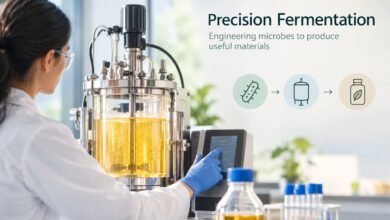
For example, microorganisms can be engineered to produce useful compounds through fermentation rather than relying exclusively on conventional chemical manufacturing.
This creates opportunities to develop manufacturing processes that use renewable biological resources and potentially reduce environmental impact.
6. Biomanufacturing Could Build a More Sustainable Industry
Biotechnology is also changing how physical products are manufactured.
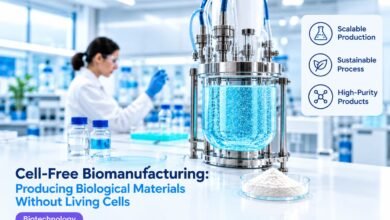
Traditional industrial production can depend heavily on fossil-based raw materials, high temperatures, and energy-intensive chemical processes. Biomanufacturing uses biological organisms, enzymes, or engineered cells to produce valuable materials.
Potential applications include:
- Bio-based chemicals
- Sustainable polymers
- Fermentation-derived ingredients
- Alternative materials
- Industrial enzymes
- Low-carbon manufacturing processes
The challenge is scaling these technologies economically. A biological process that works successfully in a laboratory must still demonstrate reliability, cost competitiveness, resource efficiency, and consistent quality at industrial scale.
7. Biotechnology Is Tackling Food Security
Population growth, changing climate conditions, water shortages, and soil degradation are putting pressure on food systems.
Biotechnology can contribute through innovations such as:
- Gene-edited crops
- Disease-resistant plants
- Improved crop traits
- Microbial fertilizers
- Alternative proteins
- Precision fermentation
- Improved livestock health technologies
Gene editing may allow researchers to investigate crop characteristics more directly, while microbial technologies can support healthier soils and more efficient agricultural systems.
The future of food biotechnology will depend not only on scientific performance but also on regulation, consumer acceptance, affordability, and environmental impact.
8. Biotech Can Help Address Environmental Challenges
Environmental biotechnology applies biological processes to problems involving pollution, waste, and resource management.
Researchers are exploring biological approaches for:
- Wastewater treatment
- Plastic degradation
- Soil restoration
- Carbon management
- Bioremediation
- Recovery of valuable resources from waste
Engineered microorganisms and naturally occurring biological systems can sometimes break down or transform substances that are difficult to process using conventional methods.
One particularly interesting area is the development of biological systems capable of converting waste streams into useful products, supporting a more circular economy.
9. Organoids Are Improving Disease Research
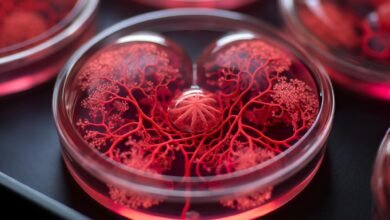
Organoids are three-dimensional, laboratory-grown structures that can reproduce certain characteristics of human organs.
They provide researchers with an experimental model between traditional cell cultures and whole organisms.
Organoids are being investigated for:
- Drug testing
- Disease modeling
- Developmental biology
- Cancer research
- Personalized medicine
- Regenerative medicine
Because organoids can sometimes capture biological characteristics that conventional cell cultures cannot, they may improve researchers’ understanding of complex diseases.
10. Digital Biology Is Connecting Data With Experiments
Biotechnology is becoming increasingly digital.
Modern laboratories can generate huge volumes of information from DNA sequencing, microscopy, protein analysis, cell profiling, and other experiments. Managing this information requires advanced computational infrastructure.
Digital biology combines:
- Biological experiments
- Cloud computing
- AI
- Data science
- Laboratory automation
- Bioinformatics
This creates a feedback loop in which computational models help design experiments, experiments generate new data, and the resulting data improves future models.
11. Lab Automation Is Increasing Research Efficiency
Automation is becoming increasingly important as biological experiments become more complex.
Robotic laboratory systems can assist with repetitive activities such as:
- Liquid handling
- Sample preparation
- Screening
- Imaging
- Data collection
- High-throughput experimentation
Automated workflows can improve consistency and allow researchers to conduct larger numbers of experiments.
When combined with AI, automated laboratories could eventually support more continuous cycles of design → experiment → analysis → optimization.
12. The Biggest Challenge: Turning Discoveries Into Real Solutions
Scientific discovery is only the beginning.
A promising biotech innovation must often pass through multiple stages before reaching society:
Discovery → Validation → Preclinical Research → Clinical/Field Testing → Regulatory Review → Manufacturing → Deployment
Each stage presents different challenges.
Researchers need to demonstrate that technologies are:
- Safe
- Effective
- Reproducible
- Scalable
- Economically viable
- Environmentally responsible
This is particularly important for technologies that directly affect human health or ecosystems.
Ethical Considerations in Modern Biotechnology
The rapid development of biotechnology also raises important ethical questions.
Some of the major concerns include:
Genetic Privacy
Genomic information can reveal highly personal biological information. Protecting genetic data is therefore becoming increasingly important.
Gene Editing Ethics
The ability to modify DNA raises questions about acceptable uses, unintended consequences, and the boundaries of human genetic engineering.
Accessibility
Advanced therapies can be expensive. Scientific progress has greater social value when successful technologies can eventually become accessible beyond a small group of people.
Environmental Risks
Engineered organisms released into the environment require careful assessment because biological systems can interact with ecosystems in unpredictable ways.
Responsible AI
AI-generated biological predictions and designs must be independently evaluated before they are used in important scientific or medical decisions.
What Does the Future of Biotechnology Look Like?
The next phase of biotechnology will likely be defined by convergence.
Biology will increasingly interact with AI, robotics, advanced computing, engineering, and materials science.
Imagine a future laboratory where an AI system analyzes biological data, proposes a research hypothesis, designs an experiment, laboratory robots conduct the experiment, and another AI system analyzes the results.
This does not mean scientists become unnecessary. Instead, researchers may spend more time defining important questions, evaluating evidence, interpreting results, and making responsible decisions.
The most valuable breakthroughs will likely come from combining multiple technologies rather than relying on one innovation alone.
Conclusion
Biotechnology is evolving from a discipline focused primarily on understanding biological processes into a powerful platform for designing biological solutions.
AI-assisted discovery, precision gene editing, cell therapies, synthetic biology, organoids, biomanufacturing, agricultural biotechnology, and environmental applications are opening new possibilities for solving complex problems.
But innovation alone is not enough. The biotechnology industry must balance scientific ambition with safety, ethics, affordability, environmental responsibility, and rigorous validation.
The real promise of biotech breakthroughs is therefore not simply creating something technologically impressive. It is turning biological knowledge into practical, scalable, and responsible solutions that improve human life and support a more sustainable future.
Frequently Asked Questions (FAQ)
1. What are biotech breakthroughs?
Biotech breakthroughs are significant advances in biotechnology that use biological systems, genetic information, cells, organisms, or biological processes to develop new solutions for healthcare, agriculture, manufacturing, and environmental challenges.
2. How is AI changing biotechnology?
AI helps researchers analyze large biological datasets, predict protein structures, identify potential drug candidates, analyze genomic information, and improve experimental design. This can accelerate research and help scientists focus on the most promising possibilities.
3. How is CRISPR contributing to biotechnology?
CRISPR provides researchers with powerful tools for modifying genetic material. Newer techniques, including base editing and prime editing, are being investigated for more precise genetic modifications and potential therapeutic applications.
4. What role does biotechnology play in healthcare?
Biotechnology contributes to drug discovery, vaccines, diagnostics, precision medicine, cell and gene therapies, regenerative medicine, and disease research.