Biotechnology is entering a new phase where biology, artificial intelligence, advanced computing, and engineering are coming together to solve some of the world’s most difficult problems. From discovering medicines faster to developing programmable cells and sustainable biological materials, biotech startups are expanding what is possible across healthcare, agriculture, food, and industrial manufacturing.
In 2025, artificial intelligence became an increasingly important part of biotech research. Startups are using AI to analyze biological datasets, identify potential drug candidates, predict protein behavior, improve clinical research, and support laboratory automation. At the same time, gene editing, cell therapy, synthetic biology, and precision medicine continue to attract significant attention.
Industry research published in 2025 highlighted the growing convergence of AI and synthetic biology, while biotech surveys pointed to cell therapy, antibody-drug conjugates, microbiome therapies, and AI-enabled drug discovery as important areas of development.
With that background, here are several biotechnology companies and emerging biotech innovators worth watching around the 2025 landscape.
1. Isomorphic Labs
Isomorphic Labs is one of the most closely watched companies at the intersection of artificial intelligence and drug discovery. The company applies AI and computational biology to understand biological mechanisms and help design potential new medicines.
Its approach is significant because traditional drug discovery can require years of laboratory research and extensive testing. AI-based systems can help researchers explore biological hypotheses and prioritize promising candidates before committing resources to experiments.
The company’s development demonstrates how AI is moving beyond general-purpose applications toward highly specialized biological research.
2. Recursion
Recursion is another prominent example of an AI-first biotechnology company. Its platform combines biology, automation, imaging, and machine learning to generate and analyze large quantities of biological data.
The company has pursued a technology-driven approach to drug discovery, with the goal of identifying relationships between diseases, biological processes, and potential treatments.
Its combination with Exscientia further strengthened its position in AI-powered drug discovery and reflected the broader industry trend toward combining computational approaches with pharmaceutical development.
3. Insilico Medicine
Insilico Medicine focuses heavily on artificial intelligence for drug discovery and development. Its technology platform uses machine learning and other computational techniques to identify potential drug targets and design candidate molecules.
One reason Insilico is worth watching is its effort to move AI-generated discoveries through real pharmaceutical development rather than treating AI simply as a research tool.
The company’s progress illustrates a larger shift in biotech: AI is increasingly being evaluated according to its ability to contribute to real therapeutic pipelines and clinical development.
4. Iambic Therapeutics
Iambic Therapeutics is developing AI-enabled technologies for pharmaceutical research. The company combines machine learning with experimental biology to support the discovery and optimization of therapeutic candidates.
AI systems can potentially help researchers understand molecular properties, predict how compounds may behave, and select promising candidates for laboratory testing.
As pharmaceutical companies look for ways to improve discovery efficiency, platforms like Iambic’s demonstrate how computational models and laboratory experiments can work together.
5. Generate Biomedicines
Generate Biomedicines focuses on generative AI and protein engineering. Rather than only analyzing existing biological molecules, generative approaches can be used to explore the design of new proteins with potentially useful therapeutic properties.
Protein design is particularly interesting because proteins play central roles in biological processes and can be engineered for specific functions.
The company represents a broader movement toward using generative AI not only to analyze biology but also to create new biological designs.
6. Formation Bio
Formation Bio represents another important direction in biotechnology: using software and AI to improve the drug-development process.
Drug development involves large amounts of data, complex clinical operations, and coordination between researchers, healthcare organizations, and patients. Technology platforms can help improve how these processes are managed.
This approach highlights an important point about biotech innovation: not every breakthrough has to involve creating a new molecule. Improving the systems used to develop and test medicines can also have a major impact.
7. Altos Labs
Altos Labs is focused on cellular rejuvenation and understanding how cells can be restored to healthier states.
The company investigates cellular reprogramming and biological mechanisms associated with aging and disease. Although longevity research remains scientifically challenging, advances in cellular biology and reprogramming are creating new possibilities for understanding age-related conditions.
Altos Labs is therefore one of the companies attracting attention from researchers and investors interested in the long-term potential of cellular rejuvenation.
8. Retro Biosciences
Retro Biosciences is another startup working in the area of cellular rejuvenation and healthy lifespan extension.
The company has explored cellular reprogramming, autophagy, and other biological mechanisms associated with aging. In 2025, Retro attracted substantial attention after pursuing major financing to advance its research programs. It also reported collaboration with OpenAI on AI-based biological research.
The company’s work represents the increasingly important relationship between AI, biotechnology, and longevity research.
9. Colossal Biosciences
Colossal Biosciences combines biotechnology, genetic engineering, computational biology, and conservation science.
The company became widely known for its ambitious work involving the genetic reconstruction of extinct species. Beyond the headline-making projects, its technology platform touches areas such as genome engineering, reproductive biology, and conservation.
The company illustrates how biotechnology startups can operate across multiple disciplines rather than focusing exclusively on traditional pharmaceutical development.
10. Mammoth Biosciences
Mammoth Biosciences is developing technologies based on CRISPR and gene-editing systems.
Gene editing has become one of the most important biotechnology platforms because it allows researchers to modify DNA with increasing precision. CRISPR-derived technologies have applications across therapeutics, diagnostics, agriculture, and biological research.
Startups working on next-generation CRISPR systems are important to watch because improvements in accuracy, delivery, and programmability could expand the number of diseases and applications that can be addressed.
11. Tessera Therapeutics
Tessera Therapeutics is working on a new approach to genetic medicine using gene-writing technologies.
Instead of simply cutting DNA, gene-writing technologies aim to enable more sophisticated changes to genetic material. This could eventually provide researchers with additional ways to correct or modify genetic sequences.
The company is part of a broader biotechnology movement exploring what comes after first-generation gene-editing techniques.
12. Synthego
Synthego focuses on genome-engineering technologies and tools that support researchers working with CRISPR.
While some biotech startups focus directly on developing medicines, companies providing tools and infrastructure can be equally important because they support research across the wider biotechnology ecosystem.
As gene editing becomes more widely used, reliable tools for designing, producing, and validating genome-editing experiments will remain important.
13. Ginkgo Bioworks
Ginkgo Bioworks is one of the best-known companies in synthetic biology. Its platform helps organizations design and engineer biological systems for applications across industries.
Synthetic biology can potentially be used to manufacture chemicals, ingredients, materials, pharmaceuticals, and other products using engineered biological organisms.
The company represents the industrial side of biotechnology, where biological systems are treated as programmable production platforms.
14. ZebiAI
ZebiAI focuses on applying machine learning to biological discovery and drug development.
AI-powered approaches can analyze biological data at a scale that would be difficult to handle manually. This can help researchers identify patterns and relationships that may inform drug discovery.
Companies working in this area are helping establish computational biology as an increasingly important part of the modern biotech toolkit.
15. Cellarity
Cellarity takes a data-driven approach to drug discovery by studying cellular behavior and biological networks.
Instead of concentrating exclusively on individual molecular targets, approaches based on cellular behavior attempt to understand how biological systems respond to disease and therapeutic interventions.
This systems-biology perspective could become increasingly valuable as researchers work on complex diseases that involve multiple biological pathways.
Key Biotechnology Trends to Watch in 2025
The companies above represent different areas of biotechnology, but several common trends connect them.
AI-Powered Drug Discovery
Artificial intelligence has become one of the most important technologies in modern biotech. AI can help researchers analyze biological datasets, identify potential targets, generate molecular designs, and prioritize experiments.
However, AI does not eliminate the need for laboratory validation. Successful biotech companies must connect computational predictions with experimental evidence and clinical results. Industry analysis in 2025 emphasized that AI was expanding beyond early discovery into broader parts of the biopharmaceutical value chain.
Gene Editing and Gene Writing
CRISPR-based technologies continue to evolve. New approaches are attempting to improve precision, delivery, and the types of genetic changes that can be made.
Gene editing could eventually support treatments for inherited disorders, cancer, immune diseases, and other conditions.
Cell and Gene Therapy
Cell therapy is becoming an increasingly important part of the biotechnology pipeline. These therapies can involve modifying or replacing cells to treat disease.
A 2025 global biotech survey found that cell therapy had become the most prominent next-generation modality among respondents’ pipelines, accounting for 40% in that survey.
Synthetic Biology
Synthetic biology combines engineering principles with biology to create or modify biological systems.
Potential applications include sustainable chemicals, alternative proteins, pharmaceuticals, agricultural products, and environmentally friendly materials.
The convergence of AI and synthetic biology is particularly significant because AI can help researchers design biological systems more efficiently.
Precision Medicine
Precision medicine aims to tailor prevention and treatment to individual biological characteristics.
Advances in genomics, multi-omics, AI, and diagnostic technologies are making it easier to analyze biological differences between patients.
This could lead to treatments that are better matched to specific patient groups rather than relying solely on broad population-level approaches.
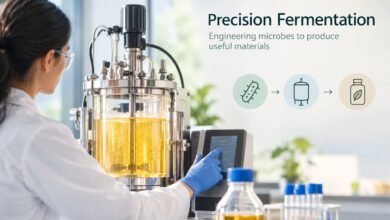
Biomanufacturing
Biotechnology is also changing how products are manufactured.
Engineered microorganisms and cells can potentially produce ingredients, chemicals, materials, and therapeutics more sustainably than some conventional manufacturing methods.
This makes industrial biotechnology an important area to watch beyond traditional healthcare applications.
Why Biotechnology Startups Matter
Biotechnology startups play an important role because they can focus on highly specialized scientific problems that may take years to solve.
Many startups are built around a specific breakthrough technology, such as:
- AI-based drug discovery
- Gene editing
- Protein engineering
- Cell therapy
- Synthetic biology
- Bioinformatics
- Multi-omics
- Digital biology
- Biomanufacturing
- Laboratory automation
Their success depends not only on scientific innovation but also on funding, regulatory approval, clinical evidence, manufacturing capabilities, and commercialization.
This is particularly important in biotechnology because promising laboratory results do not automatically translate into successful medicines or commercial products.
Challenges Facing Biotech Startups
Despite the exciting opportunities, biotechnology startups face significant challenges.
High Research Costs
Drug development can require substantial investment before a product reaches the market.
Long Development Timelines
Scientific discovery, preclinical studies, clinical trials, regulatory review, and manufacturing can take many years.
Regulatory Complexity
Biotech companies must meet strict regulatory requirements before their products can be used commercially.
Scientific Uncertainty
A promising laboratory discovery may fail during animal studies or clinical trials.
Funding Pressure
Biotech companies often require significant capital while having limited revenue during early development stages.
Data and AI Challenges
AI-based biotech companies also face challenges related to data quality, model validation, biological complexity, and reproducibility.
Therefore, investors and researchers should evaluate biotech startups based on scientific evidence, technology differentiation, development progress, leadership expertise, and realistic commercialization plans rather than hype alone.
The Future of Biotechnology
The biotechnology industry is moving toward a more integrated model in which biology, AI, engineering, automation, and advanced computing work together.
The next generation of biotech companies may not look like traditional pharmaceutical companies. Instead, they may operate as technology platforms capable of generating biological designs, testing them through automated laboratories, learning from experimental results, and rapidly improving future experiments.
AI and synthetic biology are particularly important in this transition. Research published in 2025 described their convergence as a major force for biological discovery and engineering across medicine, agriculture, and sustainability.
At the same time, companies developing cell therapies, gene-editing systems, precision diagnostics, and biological manufacturing platforms could help expand biotechnology beyond conventional drug development.
Conclusion
The biotechnology startup ecosystem in 2025 is defined by ambitious scientific goals and increasingly sophisticated technology.
Companies working in AI-driven drug discovery, gene editing, cellular rejuvenation, synthetic biology, protein engineering, and biomanufacturing are demonstrating how quickly biotechnology is evolving.
The startups discussed in this article should be viewed as examples of important areas and companies to follow rather than a definitive ranking. Their future impact will ultimately depend on scientific validation, clinical outcomes, regulatory progress, funding, and successful commercialization.
For anyone interested in the future of healthcare, medicine, sustainability, and life sciences, biotechnology startups remain one of the most important innovation areas to watch.
FAQ
1. What are biotechnology startups?
Biotechnology startups are companies that use biology, genetics, biotechnology, and related technologies to develop new products and solutions in areas such as healthcare, medicine, agriculture, food, and industrial manufacturing.
2. Which biotechnology startups were worth watching in 2025?
Some notable companies included Isomorphic Labs, Recursion, Insilico Medicine, Generate Biomedicines, Mammoth Biosciences, Tessera Therapeutics, Ginkgo Bioworks, Altos Labs, and Colossal Biosciences.
3. Why is AI important for biotechnology startups?
AI can help biotech companies analyze biological data, identify potential drug targets, design molecules and proteins, predict biological interactions, and prioritize experiments. This can potentially make parts of research and drug discovery more efficient.
4. What biotechnology trends were important in 2025?
Major trends included AI-powered drug discovery, gene editing, cell and gene therapy, synthetic biology, precision medicine, protein engineering, computational biology, and biomanufacturing.