Spatial Augmented Reality in Architecture: A New Era of Visualization

A New Era of Architectural Visualization
Architecture depends heavily on visualization to communicate ideas before construction begins. While drawings and 3D renders have long served this purpose, they often fail to convey true scale and spatial context. Spatial Augmented Reality introduces a more immersive way to experience architectural designs.
By projecting digital elements directly onto physical spaces, architects and clients can see concepts at real size. This approach improves understanding, reduces errors, and strengthens collaboration throughout the design process.
Understanding Spatial Augmented Reality in Architecture
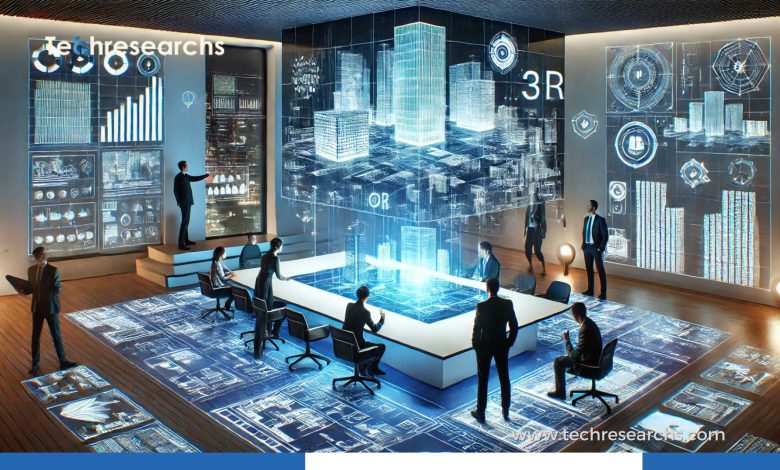
Spatial Augmented Reality (SAR) is a form of spatial computing where digital visuals are projected onto real-world surfaces using calibrated projectors and sensors. Unlike headset-based systems, the environment itself becomes the display.
Core characteristics
- Digital overlays on walls, floors, and scale models
- Shared viewing for multiple users
- No wearable hardware required
- High realism through physical context
These features make SAR particularly effective for architectural visualization.
Why Spatial Augmented Reality Is Important for Designers
Traditional visualization tools often disconnect users from physical space. Screens and drawings limit spatial awareness, especially for non-technical stakeholders.
Key benefits for architecture teams
- Clear understanding of proportions and depth
- Faster feedback during design reviews
- Reduced misinterpretation of plans
- Stronger client engagement
As a result, design decisions become more informed and confident.
Spatial Augmented Reality vs Traditional Visualization Methods
Architects typically rely on CAD software, renderings, and virtual reality. Each method has strengths but also limitations.
How this approach compares
- CAD tools lack real-world context
- VR offers immersion but limits collaboration
- Physical models lack flexibility
In contrast, Spatial Augmented Reality blends physical and digital elements in a shared environment, improving both realism and teamwork.
Practical Uses of Spatial Augmented Reality in Architecture
Many firms already apply SAR across different project stages.
Common use cases
- Early-stage concept visualization
- Overlaying structural and mechanical systems
- Testing lighting and material finishes
- Interactive client presentations
These applications help detect issues early and reduce costly revisions.
Improving Client Collaboration with Spatial Augmented Reality
One of the biggest challenges in architecture is helping clients understand technical designs. Complex drawings can feel overwhelming.
Collaboration advantages
- Designs appear in real scale
- Feedback becomes more precise
- Changes can be visualized instantly
- Meetings become more engaging
Consequently, communication gaps shrink significantly.
Supporting Sustainable Design Decisions
Sustainability has become a core focus in modern architecture. Visualization tools play a key role in evaluating environmental impact.
Sustainability benefits
- Simulating daylight and shadow movement
- Testing material performance visually
- Reducing the need for physical mockups
- Supporting energy-efficient layouts
Therefore, immersive projection systems contribute to greener building practices.
Technical Setup for Spatial Augmented Reality Systems
Implementing SAR requires a carefully calibrated setup.
Essential components
- High-lumen projectors
- Depth-sensing cameras
- Spatial mapping software
- Accurate calibration tools
Although setup can be complex, the return on investment often justifies the effort.
Challenges and Limitations
Despite its advantages, SAR is not without challenges.
Potential limitations
- Higher initial equipment costs
- Sensitivity to ambient lighting
- Limited portability
- Requirement for technical expertise
However, rapid advancements continue to reduce these barriers.
Future of Spatial Augmented Reality in Architecture
As spatial computing evolves, adoption in architecture will accelerate. Integration with AI, BIM, and digital twins is already emerging.
Key trends
- Smart construction visualization
- Real-time design simulations
- BIM-based projection workflows
- Remote collaborative design environments
Market Adoption and Industry Outlook
Leading architectural firms are investing in immersive visualization tools. Forbes highlights spatial computing as a driver of innovation in construction and design.
Educational institutions are also adopting these technologies to prepare future architects for modern workflows.
Comparison Table
| Feature | Traditional CAD | Virtual Reality | Spatial Augmented Reality |
|---|---|---|---|
| Real-World Context | Low | Medium | High |
| Collaboration | Limited | Limited | Excellent |
| Hardware Comfort | High | Low | High |
| Client Accessibility | Medium | Low | High |
| Scale Accuracy | Medium | High | High |
Spatial Augmented Reality is redefining how architectural ideas are visualized and shared. By bringing digital designs into physical spaces, it enhances clarity, collaboration, and design accuracy. Firms that embrace this technology will gain a competitive edge in the evolving architectural landscape.
FAQs
1. What does Spatial Augmented Reality do in architecture?
A. It projects digital design elements onto physical spaces to improve understanding and collaboration.
2. How is this different from virtual reality?
A. It does not require headsets and supports shared, real-world interaction.
3. Is this technology suitable for client presentations?
A. Yes, it makes designs easier for non-technical stakeholders to understand.
4. Can it integrate with BIM software?
A. Most modern systems support integration with BIM-based workflows.