Adobe Creative Cloud remains one of the most powerful creative software suites for designers, photographers, video editors, marketers, and content creators. In 2026, Adobe has introduced more AI-powered features, improved collaboration tools, and enhanced performance across its applications. Whether you’re a beginner exploring digital creativity or a professional managing large creative projects, Adobe Creative Cloud offers everything needed to create high-quality content efficiently.
This guide covers the latest features, popular applications, pricing options, and the benefits of using Adobe Creative Cloud in 2026.
What Is Adobe Creative Cloud?
Adobe Creative Cloud is a subscription-based collection of creative applications and cloud services developed by Adobe. Instead of purchasing individual software licenses, users can access multiple Adobe apps under a monthly or annual subscription.
Creative Cloud also includes cloud storage, Adobe Fonts, Adobe Stock integration, libraries, and collaboration tools that make it easier for teams to work together from anywhere.
What’s New in Adobe Creative Cloud 2026?
Adobe continues to expand its AI capabilities through Adobe Firefly while improving workflow automation and collaboration.
Some of the latest improvements include:
- Smarter AI-powered image generation
- Faster photo editing with automated enhancements
- AI-assisted video editing and audio cleanup
- Improved cloud collaboration for creative teams
- Better cross-device synchronization
- Enhanced performance across Windows and macOS
These updates help creators save time while producing professional-quality content.
Popular Adobe Creative Cloud Applications
Adobe Photoshop
Photoshop remains the industry’s leading image editing software. The latest AI tools simplify background removal, object replacement, image expansion, and advanced photo retouching.
Adobe Illustrator
Illustrator is ideal for creating logos, illustrations, icons, and vector graphics. AI-assisted design suggestions make creating complex artwork faster than ever.
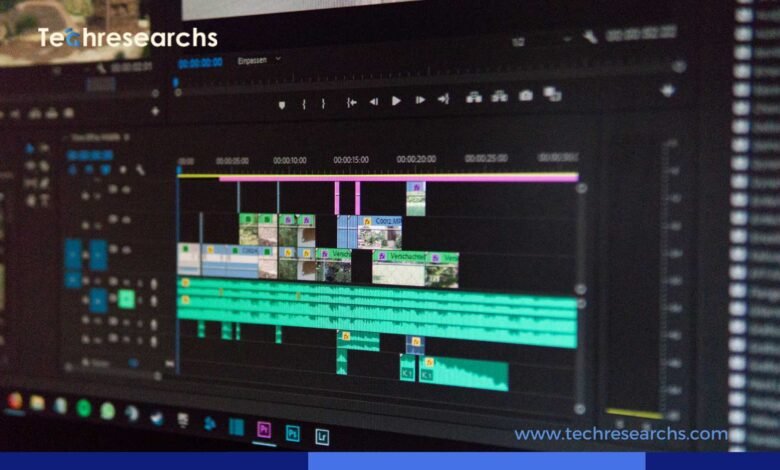
Adobe Premiere Pro
Premiere Pro offers professional video editing with AI-powered scene detection, automatic captions, color correction, and speech enhancement.
Adobe After Effects
Motion designers can create animations, cinematic effects, and visual graphics using improved rendering speeds and AI-assisted workflows.
Adobe Lightroom
Lightroom helps photographers organize, edit, and enhance images using intelligent presets and cloud synchronization.
Adobe Express
Adobe Express is perfect for creating social media graphics, presentations, flyers, and marketing materials quickly without advanced design experience.
AI Features Powered by Adobe Firefly
Artificial intelligence is becoming an essential part of creative workflows. Adobe Firefly introduces powerful tools that assist users in generating content while maintaining creative control.
Popular AI capabilities include:
- Generate images from text prompts
- Expand images automatically
- Remove unwanted objects
- Generate backgrounds
- AI text effects
- Smart color adjustments
- Automated design recommendations
These features significantly reduce editing time and improve productivity.
Benefits of Adobe Creative Cloud
Using Adobe Creative Cloud provides several advantages:
- Access to industry-standard creative software
- Automatic software updates
- Secure cloud storage
- Easy file sharing
- Team collaboration tools
- Cross-platform compatibility
- Large library of fonts and templates
- Integration with Adobe Stock and Firefly
Whether working independently or with a team, Creative Cloud simplifies the entire creative process.
Adobe Creative Cloud Pricing
Adobe offers flexible subscription plans designed for different users.
Common plans include:
- Individual Creative Cloud Plan
- Photography Plan
- Students and Teachers Plan
- Business Plan
- Enterprise Solutions
Pricing varies depending on the selected applications and subscription type. Adobe frequently offers discounts for students and educational institutions.
Who Should Use Adobe Creative Cloud?
Adobe Creative Cloud is suitable for:
- Graphic Designers
- UI/UX Designers
- Video Editors
- Photographers
- Content Creators
- Marketing Teams
- Social Media Managers
- Freelancers
- Small Businesses
- Creative Agencies
Its wide range of applications makes it useful across many creative industries.
Tips for Getting the Most from Creative Cloud
To maximize your Creative Cloud experience:
- Keep applications updated regularly.
- Organize assets using Creative Cloud Libraries.
- Explore Adobe Firefly AI features.
- Use cloud storage for secure backups.
- Learn keyboard shortcuts for faster editing.
- Take advantage of Adobe tutorials and templates.
- Sync projects across multiple devices.
These practices help improve efficiency and streamline creative workflows.
Conclusion
Adobe Creative Cloud continues to lead the creative software industry by combining powerful applications with advanced AI technology. The 2026 updates make designing, editing, and collaborating faster than ever before. Whether you’re creating graphics, editing videos, designing websites, or producing marketing content, Adobe Creative Cloud offers a complete ecosystem for creative professionals.
Investing in Creative Cloud gives users access to innovative tools, regular updates, and cloud-based collaboration that support both personal and professional creative projects.
FAQs
1. What is Adobe Creative Cloud used for?
Adobe Creative Cloud is used for graphic design, photo editing, video editing, illustration, web design, and digital content creation.
2. Is Adobe Creative Cloud subscription-based?
Yes, Adobe Creative Cloud is available through monthly or annual subscription plans.
3. What is Adobe Firefly?
Adobe Firefly is Adobe’s generative AI platform that helps users create and edit images, graphics, and visual content using AI.
4. Can beginners use Adobe Creative Cloud?
Yes. Applications like Adobe Express and Lightroom are beginner-friendly, while Photoshop and Illustrator offer advanced tools for professionals.