Think about how quickly we have become dependent on wireless connectivity. We use our phones to work, shop, stream videos, manage finances, communicate with doctors, and control smart devices at home. Behind many of these experiences is a simple requirement: a fast and dependable network.
This is where 5G technology enters the picture.
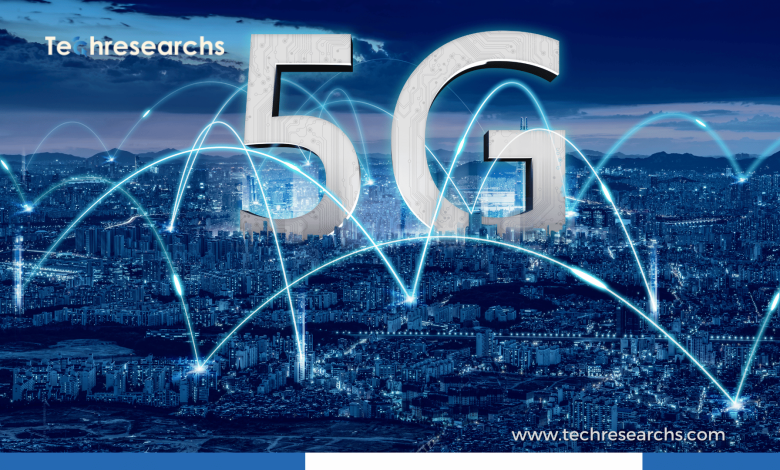
The fifth generation of wireless connectivity is doing more than improving smartphone speeds. It is opening the door to new possibilities across healthcare, retail, manufacturing, transportation, entertainment, agriculture, and smart cities.
While 5G is still being developed and expanded in many parts of the world, businesses are already exploring how its faster connections and lower latency can improve everyday operations.
What Is 5G Technology?
5G stands for the fifth generation of mobile network technology. It was developed to provide faster data communication, lower latency, improved network capacity, and better support for connected devices.
One of the most important differences between 5G and earlier generations is its ability to support applications that need quick communication between devices and networks.
For example, a connected machine in a factory may need to send information and receive instructions almost immediately. A remote healthcare application may need a stable connection for real-time communication. A smart city may have thousands of sensors collecting information at the same time.
5G can help make these types of connected environments more practical.
However, 5G is not simply about getting faster download speeds on a smartphone. Its bigger impact could come from connecting people, machines, sensors, vehicles, and digital services on a much larger scale.
Why Is 5G Becoming So Important?
Modern businesses are producing and using more data than ever. At the same time, organizations are adopting artificial intelligence, cloud computing, IoT, automation, and connected devices.
All of these technologies need reliable communication.
5G can help support this growing digital ecosystem through:
- Faster wireless data transmission
- Lower latency
- Greater network capacity
- Support for large numbers of connected devices
- Improved connectivity for IoT applications
- Better support for real-time digital services
The result is a network environment that can support more sophisticated applications than traditional mobile connectivity alone.
5G Is Changing Healthcare
Healthcare is one of the industries where reliable connectivity can make a meaningful difference.
Hospitals and clinics are already surrounded by connected equipment and digital systems. Doctors use electronic records, monitoring devices, telemedicine platforms, imaging systems, and other technologies every day.
As healthcare becomes more digital, dependable connectivity becomes increasingly important.
Remote Patient Monitoring
Imagine a patient recovering at home while a connected device regularly collects health information and sends it to a healthcare provider.
Remote monitoring can make it easier for medical professionals to keep track of patients without requiring them to visit a hospital for every check-up.
5G can support these connected healthcare applications where suitable coverage and infrastructure are available.
It does not replace doctors or medical expertise. Instead, it can provide another communication layer between patients, devices, and healthcare teams.
Better Telemedicine Experiences
Telemedicine has changed how many people access healthcare.
A reliable connection can make virtual appointments smoother, especially when consultations involve video, medical images, or other data-heavy applications.
5G can potentially improve the responsiveness and quality of these experiences, although the actual performance still depends on the network, device, application, and local coverage.
Connected Medical Equipment
Modern hospitals use many types of connected equipment. Monitoring systems, diagnostic devices, wearable technologies, and other equipment can produce valuable information.
With the right infrastructure, 5G can help these devices communicate efficiently with healthcare platforms.
That could contribute to faster access to information and better coordination between different systems.
5G Is Transforming Retail
Retail has also become increasingly digital.
Customers expect fast websites, personalized recommendations, mobile payment options, real-time inventory information, and convenient shopping experiences.
At the same time, retailers are looking for better ways to manage stores and understand customer behavior.
5G can become part of this transformation.
Smarter Physical Stores
The traditional retail store is gradually becoming more connected.
Sensors can monitor inventory, equipment, store conditions, and other operational information. Connected cameras and analytics systems can also provide businesses with useful insights.
With a strong network connecting these devices, retailers can build smarter store environments.
Improved Inventory Management
Running out of a popular product is frustrating for customers and expensive for retailers.
Connected inventory systems can provide more timely information about products moving through warehouses and stores.
When combined with IoT sensors and analytics, 5G can help retailers build more responsive inventory systems.
The goal is simple: know what is available, where it is located, and when more stock may be needed.
More Interactive Shopping
5G can also support technologies that make shopping more interactive.
Augmented reality is a good example.
A customer buying furniture could use an AR application to see how a product might look inside their home. A fashion retailer could offer virtual product experiences through a smartphone.
These applications depend on more than 5G, but faster and more responsive connectivity can help create smoother experiences.
5G and Smart Manufacturing
Manufacturing may be one of the most interesting areas for 5G adoption.
Modern factories are becoming increasingly automated. Robots, sensors, cameras, machines, and software systems need to communicate continuously.
A reliable wireless network can make it easier to connect these systems.
Connected Machines
Factories can use sensors to monitor equipment and collect information about temperature, vibration, performance, and other conditions.
This data can be analyzed to identify potential equipment problems before they result in major downtime.
This approach is commonly associated with predictive maintenance.
Industrial Automation
Robots and automated systems often need to communicate quickly.
5G can support wireless industrial environments where machines need responsive communication.
This can be particularly useful in factories where installing large amounts of traditional cabling is expensive or impractical.
Digital Twins
Digital twins are another emerging use case.
A digital twin is a virtual representation of a physical object, machine, process, or environment. Data from sensors can help keep the digital representation updated.
When 5G, IoT, cloud computing, and analytics are combined, businesses can create increasingly connected industrial environments.
5G and the Internet of Things
The Internet of Things is based on a straightforward idea: connect physical objects to digital systems so they can collect and exchange information.
The number of connected devices continues to grow across homes, businesses, factories, farms, vehicles, and cities.
5G can help support these environments.
For example, a company could connect thousands of sensors across a facility and use the collected data to monitor operations.
Possible IoT applications include:
- Smart buildings
- Connected vehicles
- Industrial sensors
- Smart agriculture
- Energy monitoring
- Healthcare wearables
- Retail systems
- Environmental monitoring
The real value comes from what organizations do with the data. Simply connecting devices is not enough. Businesses need useful applications, analytics, security, and clear goals.
5G and Smart Cities
Cities are becoming more dependent on technology to manage transportation, energy, public infrastructure, and environmental conditions.
This creates another potential role for 5G.
Smarter Traffic Management
Connected traffic signals, road sensors, cameras, and transportation systems can generate large amounts of information.
City authorities can use this data to better understand traffic patterns and improve transportation planning.
Connected Public Infrastructure
Streetlights, parking systems, public transportation equipment, and other infrastructure can be connected to monitoring systems.
Instead of waiting for equipment to fail, authorities may be able to identify certain problems earlier through sensor data.
Environmental Monitoring
Connected sensors can monitor air quality, temperature, noise, and other environmental conditions.
This information can help cities understand local conditions and make better decisions about infrastructure and public services.
5G Could Change Transportation
Transportation is becoming increasingly connected.
Modern vehicles already contain numerous sensors and communication systems. Future transportation systems are expected to rely even more heavily on connectivity.
5G can support communication between vehicles, infrastructure, networks, and other connected systems.
For example, connected vehicles could receive information about traffic congestion, road conditions, or potential hazards.
However, it is important not to assume that 5G alone will make fully autonomous vehicles possible. Autonomous transportation requires a combination of sensors, artificial intelligence, computing power, mapping, safety systems, regulations, and reliable connectivity.
5G in Agriculture
Agriculture may not be the first industry that comes to mind when discussing mobile networks, but technology is rapidly changing farming.
Farmers are using connected sensors, drones, GPS systems, smart machinery, weather information, and analytics to make better decisions.
5G can help connect these technologies in areas where appropriate network coverage exists.
For example, sensors could collect information about soil conditions and environmental changes. Connected agricultural equipment could also send operational information to farmers or management platforms.
When combined with AI and data analytics, these systems could support more precise use of water, fertilizers, machinery, and other resources.
5G and Entertainment
Consumers may notice 5G most directly through entertainment.
Faster and more responsive connections can improve experiences such as:
- Video streaming
- Cloud gaming
- Augmented reality
- Virtual reality
- Live events
- High-quality mobile content
Cloud gaming is particularly sensitive to latency. When gameplay is processed remotely, delays between the player’s actions and the server response can affect the experience.
A low-latency connection can help, although the quality of the experience also depends on the gaming service, device, local network conditions, and distance to computing infrastructure.
The Connection Between 5G and Edge Computing
5G and edge computing are often discussed together because they can complement one another.
Cloud computing typically processes data in centralized data centers. Edge computing moves some processing closer to the user or device generating the data.
Why does this matter?
Consider an industrial robot that needs an immediate response. Sending every piece of information to a distant data center and waiting for a response may not be ideal for time-sensitive applications.
Processing some information closer to the machine can reduce communication delays.
This combination of 5G and edge computing could support applications such as:
- Industrial robotics
- Smart transportation
- Real-time video analytics
- AR and VR
- Connected healthcare
- Smart infrastructure
What About 5G Security?
More connectivity also means more responsibility.
As businesses connect more devices, machines, sensors, and applications, the potential attack surface can become larger.
A poorly protected connected device could potentially become an entry point into a wider system.
Organizations adopting 5G should therefore pay close attention to cybersecurity.
Important measures include:
- Strong authentication
- Data encryption
- Secure device configuration
- Regular software updates
- Network segmentation
- Access management
- Continuous monitoring
- IoT security controls
Security should be included from the beginning of a 5G deployment rather than added after the network is already operational.
Challenges That Could Slow 5G Adoption
5G has significant potential, but widespread adoption still faces practical challenges.
Infrastructure Investment
Deploying advanced network infrastructure requires substantial investment. Operators and businesses need to consider equipment, spectrum, maintenance, upgrades, and operational costs.
Coverage Differences
Not every location has the same level of 5G coverage. Even within a city, network performance can vary.
This means organizations need to evaluate local connectivity before building critical applications around 5G.
Device Upgrades
Older devices may not support 5G. Businesses may need to replace or upgrade hardware before they can use newer network capabilities.
Integration Problems
Companies rarely start with a completely new technology environment.
They often have older applications, databases, machines, and networks that still need to operate.
Integrating 5G with existing infrastructure can therefore take planning and investment.
Cybersecurity Risks
The more connected an organization becomes, the more important security becomes.
Businesses need strong policies for devices, identities, applications, data, and network access.
What Does the Future of 5G Look Like?
The future of 5G is likely to be less about smartphones and more about connected environments.
Healthcare systems could become more connected. Factories could become more automated. Retail stores could become more intelligent. Vehicles could communicate with surrounding infrastructure. Cities could use real-time information to manage public services.
The biggest opportunities may emerge when 5G works alongside other technologies rather than operating on its own.
AI can analyze data. IoT devices can collect it. Edge computing can process it closer to where it is generated. Cloud platforms can provide large-scale computing and storage.
5G can help connect these pieces.
Final Thoughts
The rise of 5G is not simply another upgrade to mobile internet. It represents a broader shift toward more connected digital environments.
Its impact can already be seen in discussions around healthcare, retail, manufacturing, smart cities, agriculture, transportation, entertainment, and IoT.
At the same time, organizations should approach 5G realistically. Faster connectivity does not automatically solve business problems. Successful adoption depends on infrastructure, applications, cybersecurity, data management, and a clear understanding of what the technology is meant to accomplish.
As 5G networks continue to evolve, the most interesting developments may come from the technologies built on top of them. The combination of 5G with AI, IoT, edge computing, robotics, and cloud platforms could shape how businesses and consumers interact with technology over the coming years.
Frequently Asked Questions
1. What is 5G technology?
5G is the fifth generation of wireless network technology. It provides faster connectivity, lower latency, greater network capacity, and better support for connected devices.
2. How is 5G transforming healthcare?
5G can support remote patient monitoring, telemedicine, connected medical devices, and responsive AR and VR healthcare applications where suitable infrastructure is available.
3. How can 5G benefit the retail industry?
Retailers can use 5G to connect smart-store devices, improve inventory monitoring, personalize customer experiences, and support technologies such as augmented reality shopping.
4. What are the main challenges of 5G adoption?
The main challenges include infrastructure costs, limited coverage in some areas, device compatibility, cybersecurity risks, and integrating 5G with existing technology systems.