Cybersecurity can sometimes feel like a problem that only concerns big companies, banks, or technology experts. In reality, it affects almost everyone who uses a phone, computer, email account, social media platform, or online service.
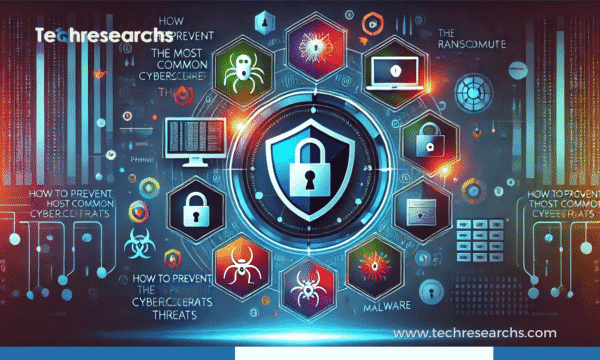
Every day, people deal with phishing emails, suspicious links, weak passwords, malware, fake websites, ransomware, and account takeovers. Many successful attacks don’t happen because someone used an extremely advanced hacking technique. They happen because a simple security mistake gave an attacker an opportunity.
The good news is that you can prevent many common cybersecurity problems by following a few practical habits. You don’t need to be a security professional. You simply need to understand where the risks are and know how to reduce them.
Why Cybersecurity Prevention Is Important
Think about how much personal information you have online. Your email may contain important conversations, your phone may store photos and payment apps, and your cloud accounts may contain documents you cannot afford to lose.
Now imagine someone getting access to even one of these accounts.
A compromised account can lead to stolen information, financial losses, identity theft, or even access to other accounts. For businesses, the consequences can be much larger, including downtime, customer-data exposure, and damage to their reputation.
That is why cybersecurity should not be treated as something you worry about only after an attack. Prevention is much easier than recovering from a serious security incident.
1. Learn To Recognize Phishing
Phishing remains one of the easiest ways for attackers to trick people.
You might receive an email saying that your account will be closed unless you log in immediately. Another message may claim that your package could not be delivered. Someone may even pretend to be your manager and ask you to make an urgent payment.
These messages are designed to make you react before you have time to think.
How to avoid phishing scams
Before clicking anything, stop and look at the message carefully.
- Check who actually sent the message.
- Be careful with unexpected links and attachments.
- Don’t provide passwords or verification codes through suspicious messages.
- Be suspicious of extreme urgency or threats.
- Visit the company’s official website yourself instead of clicking a message link.
- Confirm unusual requests with the person or organization through another channel.
When a message makes you panic or rush, that’s often a good reason to slow down.
2. Keep Malware Away From Your Devices
Malware is software created to perform harmful or unauthorized actions. It can steal information, monitor activity, damage files, or give criminals access to a device.
Malware can come from many places, including fake software, suspicious downloads, malicious attachments, and compromised websites.
One simple rule helps: don’t install software just because a website tells you to.
Download applications from trusted sources, keep your operating system updated, and avoid pirated software. If your security software warns you about a file, don’t ignore the warning without understanding why it appeared.
3. Take Ransomware Seriously
Ransomware can turn a normal workday into a major problem. It can lock files or systems and demand money from the victim.
For an individual, that might mean losing years of photographs or important documents. For a company, it could mean employees cannot access essential systems or customer information.
One of the strongest defenses is surprisingly simple: maintain good backups.
Keep important files backed up regularly and make sure the backup can actually be restored. A backup that has never been tested is not something you should completely rely on during an emergency.
Regular software updates, employee awareness, strong authentication, and careful handling of email attachments can also reduce ransomware risks.
4. Stop Reusing Passwords
Using one password for multiple accounts may seem convenient, but it creates a serious problem.
If an attacker obtains that password from one service, they may try the same credentials on your email, shopping accounts, social media, or other platforms.
Instead, use a different password for every important account. Long, unique passwords are much better than short passwords that are easy to guess.
If remembering dozens of passwords sounds impossible, a reputable password manager can make the process much easier.
5. Turn On Multi-Factor Authentication
Multi-factor authentication, commonly called MFA, adds another security step when you log in.
For example, after entering your password, you may need to approve a login through an authentication app or use another verification method.
This extra step can make a major difference. Even if someone discovers your password, they may still be unable to access the account.
Start with your most important accounts, especially email, banking, cloud storage, work accounts, and administrator accounts.
6. Don’t Ignore Software Updates
Those update notifications can be annoying, especially when you’re busy. But ignoring them for weeks or months can leave your device exposed.
Updates often include security fixes that address vulnerabilities discovered in software.
Keep your operating system, web browser, applications, router, and security tools updated. Whenever possible, turn on automatic updates for software you regularly use.
A few minutes spent updating a device can prevent a much bigger problem later.
7. Be Careful When Using Public Wi-Fi
Free Wi-Fi at airports, hotels, cafes, and other public places is convenient, but convenience should not be confused with security.
Avoid accessing highly sensitive accounts through unfamiliar networks when you have a safer option.
If you must use public Wi-Fi, make sure your device is updated, use secure websites and applications, and consider using a trusted VPN when appropriate.
Also, don’t automatically trust a network simply because its name looks familiar. Attackers can create networks with names designed to resemble legitimate public Wi-Fi.
8. Give Your Smartphone the Same Protection as Your Computer
People often protect their computers while forgetting how much valuable information is stored on their phones.
Your smartphone may contain banking apps, emails, photographs, work documents, contacts, authentication tools, and personal conversations.
Use a strong screen lock and keep the operating system updated. Only install apps from trusted sources and review the permissions those apps request.
It’s also worth enabling device-location and remote-wipe features. If your phone disappears, these tools may help you locate it or protect the information stored on it.
9. Think Before Sharing Personal Information
Cybersecurity isn’t only about passwords and software. The information you share publicly can also help attackers.
For example, details about your workplace, family, birthday, location, or daily routine may help someone create a convincing scam.
You don’t have to disappear from social media. Just think about whether every piece of information really needs to be public.
Review your privacy settings from time to time and remove information you no longer want to share.
10. Secure Your Home Wi-Fi
Your home network connects many devices, including phones, computers, televisions, cameras, and smart-home products.
Start by changing the default administrator password on your router. Use a strong Wi-Fi password and modern encryption supported by your equipment.
Don’t forget about the router itself. Check whether the manufacturer provides firmware updates and install them when appropriate.
Smart devices should also be updated and protected with unique credentials whenever possible.
11. Don’t Let Social Engineering Fool You
Some attacks don’t require criminals to break through sophisticated security systems. Instead, attackers simply convince someone to help them.
This is known as social engineering.
An attacker might pretend to be an IT employee and ask for your password. They could impersonate a manager and request an urgent payment. They might even pretend to be a family member who needs money.
The safest response is to verify unusual requests independently.
If someone asks you to break a normal procedure, share confidential information, or send money urgently, take a moment and confirm that the request is genuine.
12. Businesses Need Strong Access Controls
For businesses, cybersecurity becomes a shared responsibility.
Employees should know how to recognize suspicious messages, report unusual activity, and handle sensitive information properly.
Companies should also avoid giving every employee access to everything. Users should generally have only the permissions required to perform their jobs.
Removing old accounts, reviewing permissions, using MFA, updating software, and monitoring important systems can help reduce unnecessary exposure.
13. Back Up Your Important Files
Imagine losing your laptop tomorrow.
Would you still have your important documents, photographs, business files, and other data?
If the answer is no, it’s time to think about backups.
Back up important information regularly and keep copies in a separate location or service. More importantly, test your backups occasionally.
The real value of a backup isn’t that the files exist somewhere. It’s that you can successfully recover them when you need them.
14. Pay Attention to Account Activity
You don’t need to monitor every account every minute. However, checking important accounts regularly can help you spot problems early.
Watch for things such as:
- Login notifications you don’t recognize.
- Password-reset emails you didn’t request.
- Purchases you don’t remember making.
- New devices connected to your account.
- Messages sent from your account without your knowledge.
- Unexpected changes to account settings.
If something looks wrong, don’t wait. Change the password, sign out unknown devices, enable MFA, and contact the service provider using an official support channel.
15. Create Simple Cybersecurity Habits
Good cybersecurity doesn’t have to become a complicated daily routine.
A few small habits can make a significant difference:
- Use unique passwords.
- Turn on MFA.
- Install security updates.
- Keep reliable backups.
- Think before clicking unexpected links.
- Download software from trusted sources.
- Review important account activity.
- Remove unused accounts and applications.
- Be careful about what you share publicly.
The goal isn’t to become paranoid about every email or website. The goal is to become a little harder to trick.
What Should You Do If You Think You’ve Been Hacked?
If you believe someone has gained unauthorized access to an account, act quickly.
Start by securing the affected account from a trusted device. Change the password and enable MFA if it isn’t already enabled. Check recent account activity and sign out unfamiliar devices or sessions where possible.
If financial information may have been exposed, contact your bank or financial provider through its official contact information.
If a work device or business account is involved, report the incident to the appropriate IT or security team instead of trying to handle everything yourself.
The faster you respond, the more opportunity you have to limit the damage.
Final Thoughts
Cybersecurity can sound complicated, but protecting yourself doesn’t always require complicated technology.
Most people can significantly improve their security by doing the basics consistently: use strong and unique passwords, enable MFA, keep software updated, maintain backups, recognize phishing attempts, and think carefully before trusting unexpected requests.
There is no single tool that can stop every cyberattack. Good security comes from using several layers of protection and developing sensible digital habits.
Cybercriminals will continue to change their methods, but the basic idea remains the same: make it harder for attackers to trick you, access your accounts, or damage your data.
A few minutes spent improving your security today could save you hours, money, and a lot of stress later.
Frequently Asked Questions
What are the most common cybersecurity threats?
The most common cybersecurity threats include phishing, malware, ransomware, weak passwords, social engineering, data breaches, and account takeovers.
How can I protect myself from phishing attacks?
Check the sender carefully, avoid unexpected links and attachments, never share passwords or verification codes through suspicious messages, and verify unusual requests through official channels.
Is using a strong password enough to protect an account?
A strong, unique password is important, but it should be combined with multi-factor authentication (MFA) for stronger account protection.
Why are software updates important for cybersecurity?
Software updates often include security fixes for known vulnerabilities. Keeping your operating system, browser, applications, and devices updated can reduce security risks.