Augmented Reality (AR) is no longer limited to gaming and entertainment. Today, it is transforming industries such as healthcare, education, retail, manufacturing, real estate, tourism, and e-commerce by blending digital content with the real world. Businesses use AR to improve customer experiences, enhance employee training, visualize products, and streamline operations. As demand for immersive digital experiences grows, learning how to create AR apps has become a valuable skill for developers, designers, and technology enthusiasts.
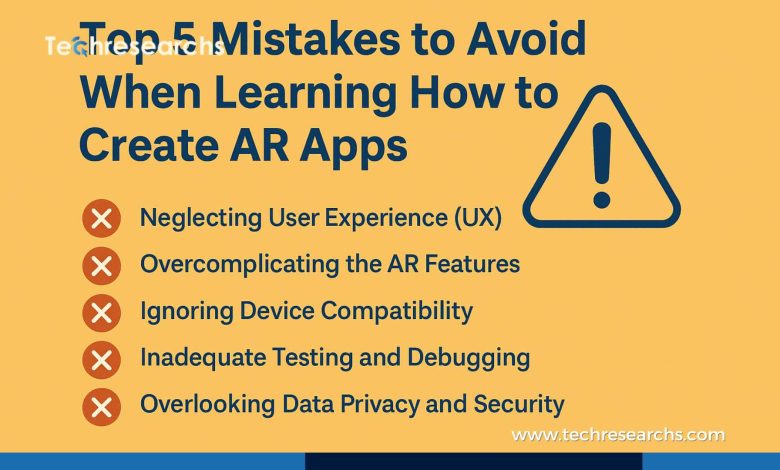
While AR development offers exciting opportunities, beginners often make mistakes that slow their learning and affect the quality of their applications. Many jump directly into coding without understanding AR concepts, ignore performance optimization, or overlook user experience. These mistakes can result in unstable apps, poor tracking, and frustrating user interactions.
This guide highlights the top five mistakes to avoid when learning how to create AR apps and shares practical tips to help you build high-quality, user-friendly, and future-ready augmented reality applications.
Understanding AR App Development
An Augmented Reality (AR) application uses a device’s camera and sensors to place digital objects, animations, or information into the real-world environment. Unlike Virtual Reality (VR), which creates a completely virtual environment, AR enhances the user’s surroundings by combining physical and digital elements.
AR applications are commonly used for:
- Interactive learning and education
- Gaming and entertainment
- Virtual product visualization
- Medical training and healthcare
- Industrial maintenance
- Navigation and travel
- Interior design and real estate
Modern AR development platforms such as ARCore, ARKit, Unity, and Unreal Engine allow developers to create immersive experiences for smartphones, tablets, and wearable devices.
Why Learning AR Development Is Important
The global demand for AR applications continues to grow as businesses adopt immersive technologies to improve customer engagement and operational efficiency. Learning AR development not only opens up career opportunities but also equips developers with skills in 3D graphics, computer vision, mobile app development, and user experience design.
However, building successful AR applications requires more than writing code. Developers must understand how AR systems detect surfaces, recognize objects, estimate lighting, and render digital content accurately in real-world environments.
Mistake 1: Skipping the Fundamentals of AR Technology
One of the most common mistakes beginners make is jumping straight into development without understanding how augmented reality works. Learning a development platform without understanding the technology behind it often leads to confusion when troubleshooting problems.
Key AR concepts every beginner should understand include:
- Plane detection
- Image tracking
- Object recognition
- Motion tracking
- Spatial mapping
- Light estimation
- Depth sensing
Understanding these concepts helps developers build more accurate, realistic, and reliable AR applications.
How to Avoid This Mistake
Before starting your first project, spend time learning the basics of augmented reality. Read official documentation, watch tutorials, and build small practice projects that focus on one concept at a time. A strong foundation makes advanced AR development much easier.
Mistake 2: Choosing the Wrong Development Platform
Many beginners choose an AR development platform simply because it is popular, without considering their project requirements or target audience.
Different platforms offer different capabilities:
| Platform | Best Use Case |
|---|---|
| ARCore | Android applications |
| ARKit | iOS applications |
| Unity AR Foundation | Cross-platform development |
| Unreal Engine | High-end graphics and games |
| Vuforia | Image recognition and enterprise solutions |
Selecting the wrong platform can increase development complexity, reduce compatibility, and limit your application’s scalability.
Best Practice
If you plan to develop applications for both Android and iOS, Unity with AR Foundation provides an excellent starting point. For platform-specific projects, ARCore and ARKit offer powerful native features.
Mistake 3: Ignoring Performance Optimization
AR applications use the device’s camera, sensors, CPU, GPU, and memory simultaneously. Poor optimization can result in slow frame rates, overheating, battery drain, and application crashes.
Common optimization mistakes include:
- Using oversized 3D models
- High-resolution textures
- Excessive lighting effects
- Too many real-time animations
- Poor memory management
How to Improve Performance
Optimize your application by:
- Compressing textures
- Reducing polygon counts
- Limiting unnecessary animations
- Optimizing lighting and shadows
- Removing unused assets
- Monitoring frame rates during testing
A well-optimized application provides a smoother and more enjoyable user experience.
Mistake 4: Neglecting User Experience (UX)
Even if an AR application works perfectly from a technical perspective, users may abandon it if the interface is confusing or difficult to navigate.
Common user experience mistakes include:
- Lack of onboarding instructions
- Confusing gestures or controls
- Poor object placement
- Slow loading times
- No visual feedback during tracking
Best Practice
Design your application with simplicity in mind. Provide clear instructions, intuitive controls, visual guidance, and helpful feedback throughout the user journey. A positive user experience increases engagement and encourages repeat usage.
Mistake 5: Testing Only on One Device
Many developers test their applications on a single smartphone or simulator and assume the app will perform similarly on all devices.
However, AR performance varies depending on:
- Camera quality
- Sensor accuracy
- Processor performance
- Operating system version
- Screen resolution
- Environmental conditions
How to Test Effectively
Always test your AR application:
- On multiple Android and iOS devices
- In different lighting conditions
- Indoors and outdoors
- On different surfaces
- Across multiple operating system versions
Extensive testing helps identify issues before deployment and ensures a consistent user experience.
Best Practices for Learning AR Development
To improve your AR development skills:
- Learn the fundamentals of 3D graphics and computer vision.
- Build small projects before attempting complex applications.
- Use version control tools such as Git.
- Keep AR SDKs updated.
- Read official documentation regularly.
- Join AR developer communities and forums.
- Analyze successful AR applications for inspiration.
Continuous learning and practical experience are essential for becoming a skilled AR developer.
Essential Tools for AR Development
The following tools are widely used by professional AR developers:
- Unity
- AR Foundation
- ARCore
- ARKit
- Unreal Engine
- Blender
- Visual Studio
- Android Studio
- Xcode
- GitHub
- Firebase
These tools support every stage of AR development, from designing 3D assets to testing and deployment.
The Future of AR App Development
Augmented Reality is expected to play a significant role in the future of digital experiences. Advances in artificial intelligence, wearable devices, spatial computing, and cloud technologies are making AR applications more intelligent and accessible.
Industries such as healthcare, education, retail, manufacturing, architecture, logistics, and entertainment are investing heavily in AR solutions to improve productivity and customer engagement.
Developers who build strong AR skills today will be well-positioned to take advantage of emerging career opportunities and technological innovations.
Conclusion
Learning how to create AR apps is an exciting journey that combines creativity with technical expertise. While the learning curve may seem challenging, avoiding common beginner mistakes can significantly improve your progress. By understanding AR fundamentals, selecting the right development platform, optimizing application performance, prioritizing user experience, and testing thoroughly across multiple devices, you can build high-quality augmented reality applications that deliver meaningful experiences.
As AR technology continues to evolve, developers who focus on continuous learning, experimentation, and best practices will be better prepared to create innovative solutions that meet the needs of businesses and users alike.
Frequently Asked Questions (FAQs)
1. What skills are required to create AR apps?
Basic programming, 3D graphics, computer vision, and mobile app development skills are helpful for AR development.
2. Which platform is best for beginners?
Unity with AR Foundation is widely recommended because it supports both Android and iOS development.
3. Is coding necessary for AR app development?
Yes. Knowledge of C#, Swift, Kotlin, or Java can help you build AR applications effectively.
4. Why is performance optimization important in AR apps?
Optimized applications run smoothly, use fewer system resources, and provide a better user experience.