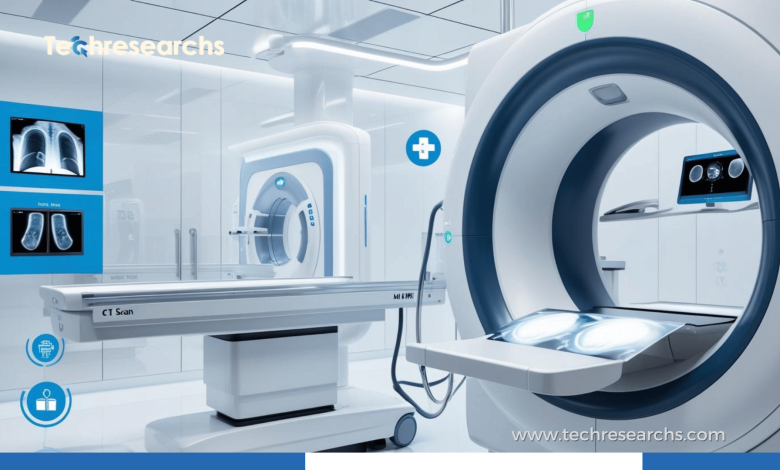
Becoming a radiologic technologist is an exciting career path that allows individuals to work at the forefront of medical imaging. Radiologic technologists, also known as radiographers, play a crucial role in diagnosing and treating patients by using imaging equipment such as X-rays, CT scans, and MRIs. If you’re interested in this profession, this step-by-step guide will outline everything you need to know about becoming a radiologic technologist.
What Does a Radiologic Technologist Do?
A radiologic technologist is responsible for preparing patients for medical imaging procedures and ensuring that the correct images are taken to help doctors diagnose various medical conditions. They operate sophisticated imaging equipment, maintain patient safety, and ensure the highest quality of images for doctors to review. Their role is critical in many healthcare settings, including hospitals, clinics, and diagnostic imaging centers.
Step 1: Obtain the Necessary Education
To become a radiologic technologist, you must first complete the appropriate educational requirements. Most individuals pursue an associate degree in radiologic technology, which typically takes about two years. This program will include both classroom learning and hands-on clinical experience to ensure that you are fully prepared for the challenges of the field.
- Courses you will take include subjects such as anatomy, patient care, radiologic physics, radiation safety, and medical ethics.
- Accredited Programs: Ensure that the program you choose is accredited by the Joint Review Committee on Education in Radiologic Technology (JRCERT) to ensure that you receive a quality education and training.
Step 2: Gain Clinical Experience
While completing your education, you will gain clinical experience in a healthcare setting, where you will practice using imaging equipment under the supervision of licensed professionals. This hands-on experience is crucial for learning how to interact with patients, operate machines, and ensure safety protocols are followed.
Clinical experience will give you the opportunity to:
- Work directly with patients
- Learn how to position patients for different imaging techniques
- Understand the different imaging equipment and how to use them effectively
Step 3: Become Certified
In most states, certification is required to work as a radiologic technologist. The American Registry of Radiologic Technologists (ARRT) is the primary organization responsible for certifying radiologic technologists in the United States. To become certified by the ARRT, you must:
- Complete an accredited radiologic technology program.
- Pass the ARRT certification exam, which tests your knowledge and skills in radiologic technology and patient care.
Certification is essential for gaining employment in most healthcare facilities. It also serves as proof that you have the necessary skills and knowledge to perform medical imaging tasks safely and accurately.
Step 4: Apply for Jobs
Once you have completed your education, clinical training, and certification, you can begin applying for jobs as a radiologic technologist. Healthcare facilities such as hospitals, clinics, outpatient centers, and even research facilities hire radiologic technologists. When applying, highlight your clinical experience, certifications, and any specializations you may have in advanced imaging technologies.
Some tips for applying include:
- Tailor your resume to highlight your clinical training and certification.
- Use job boards or career websites such as Indeed, LinkedIn, or Glassdoor to find available positions.
- Consider entering specific areas of radiology, such as MRI or CT scans, to increase your chances of landing specialized roles.
Step 5: Maintain Certification and Further Education
To maintain your certification as a radiologic technologist, you must complete continuing education requirements set by the ARRT. These requirements may include attending workshops, seminars, or taking additional courses to stay up-to-date with the latest advancements in imaging technology.
Additionally, radiologic technologists can pursue advanced certifications or specializations in areas such as:
- MRI (Magnetic Resonance Imaging)
- CT (Computed Tomography)
- Mammography
- Sonography (Ultrasound)
By gaining expertise in a specialized field, you can increase your earning potential and expand your career opportunities.
How Long Does It Take to Become a Radiologic Technologist?
The time it takes to become a radiologic technologist depends on the educational path you choose. On average, most individuals complete an accredited associate degree program in radiologic technology in about two years. However, those who opt for further specialization or higher education may take additional time.
What Skills Are Important for Radiologic Technologists?
To excel as a radiologic technologist, it’s essential to possess a set of key skills:
- Attention to Detail: Accuracy is vital in radiology to ensure that images are of high quality and that diagnoses are correct.
- Communication Skills: Radiologic technologists must effectively communicate with patients and healthcare professionals.
- Technical Skills: You must have a strong understanding of medical imaging equipment and its operation.
- Compassion and Patience: Many patients may feel anxious about imaging procedures, so a calming and empathetic attitude is important.
FAQs:
Q1: How much do radiologic technologists earn?
Radiologic technologists earn a competitive salary. According to the U.S. Bureau of Labor Statistics, the median annual wage for radiologic technologists was $61,900 in 2023. Salaries can vary depending on location, experience, and specialization.
Q2: Can I become a radiologic technologist with a bachelor’s degree?
Yes, while most radiologic technologists hold an associate degree, some pursue a bachelor’s degree in radiologic technology to further their career or specialize in advanced imaging technologies.
Q3: How can I specialize as a radiologic technologist?
After becoming certified, you can choose to specialize in areas such as MRI, CT scans, mammography, or sonography. Specializations often require additional training and certification.
Becoming a radiologic technologist is a rewarding and fulfilling career. By following the steps outlined in this guide, including obtaining the proper education, gaining clinical experience, earning certification, and continuing your education, you can enjoy a successful career in the rapidly evolving field of medical imaging.