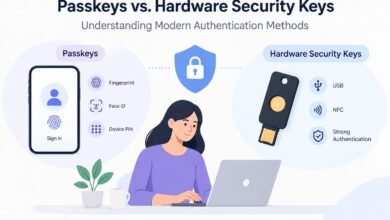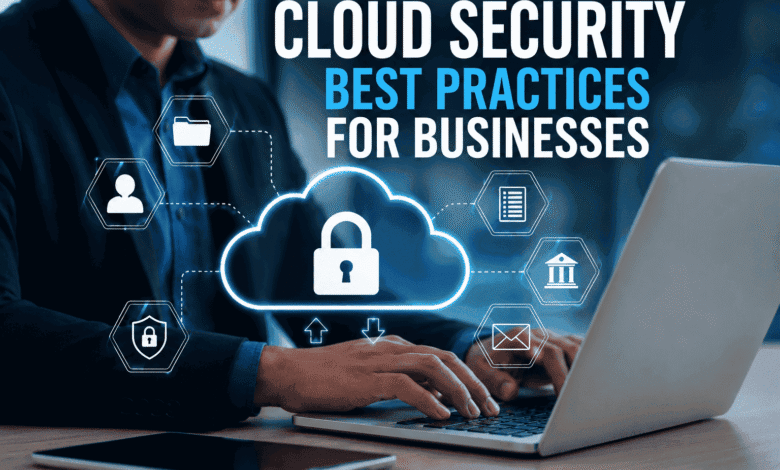
Cloud computing has become an essential part of modern business operations. Companies use cloud platforms to store data, run applications, manage workflows, and improve scalability. However, as businesses move more critical operations to the cloud, security risks such as data breaches, unauthorized access, and cyberattacks are increasing.
Cloud security is no longer just an IT responsibility; it is a business priority. Implementing strong cloud security practices helps organizations protect sensitive information, maintain customer trust, and ensure business continuity.
This guide explains the most important cloud security best practices for businesses to secure their cloud environments effectively.
What Is Cloud Security?
Cloud security refers to the technologies, policies, and practices used to protect cloud-based systems, applications, networks, and data from cyber threats.
Unlike traditional IT security, cloud security requires a shared responsibility model where both cloud service providers and businesses play a role in maintaining protection.
Cloud providers secure the infrastructure, while businesses are responsible for protecting their data, user access, applications, and configurations.
Why Cloud Security Is Important for Businesses
Businesses rely on cloud environments for storing confidential information, including:
- Customer data
- Financial records
- Business applications
- Employee information
- Intellectual property
A weak cloud security strategy can lead to:
- Data breaches
- Financial losses
- Compliance violations
- Reputation damage
- Business downtime
Strong cloud security helps businesses improve reliability, prevent cyber threats, and maintain customer confidence.
Cloud Security Best Practices for Businesses
1. Implement Strong Identity and Access Management (IAM)
Identity and Access Management (IAM) is one of the most important components of cloud security.
Businesses should control who can access cloud resources and what actions they are allowed to perform.
Best practices include:
- Use multi-factor authentication (MFA)
- Create role-based access controls
- Remove unnecessary user permissions
- Regularly review user accounts
- Follow the principle of least privilege
Limiting access reduces the chances of unauthorized users gaining control over sensitive resources.
2. Encrypt Sensitive Data
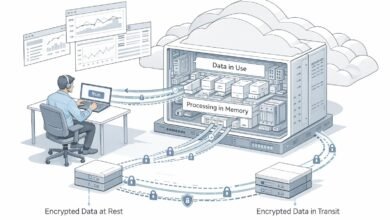
Data encryption protects information by converting it into an unreadable format that can only be accessed with the correct encryption key.
Businesses should encrypt:
- Data stored in the cloud
- Data transferred between systems
- Backup files
- Customer information
Encryption helps protect sensitive information even if attackers gain unauthorized access.
3. Use Multi-Factor Authentication (MFA)
Passwords alone are no longer enough to protect business accounts.
Multi-factor authentication adds an additional security layer by requiring users to verify their identity using:
- Passwords
- Authentication apps
- Security tokens
- Biometric verification
MFA significantly reduces the risk of account compromise caused by stolen passwords.
4. Regularly Monitor Cloud Activity
Continuous monitoring helps businesses detect suspicious activities before they become serious security incidents.
Organizations should use cloud monitoring tools to track:
- Login attempts
- User behavior
- Network traffic
- Configuration changes
- Security alerts
Real-time monitoring enables faster threat detection and response.
5. Keep Cloud Systems Updated
Outdated software and cloud configurations can create security vulnerabilities.
Businesses should:
- Apply security patches regularly
- Update applications
- Review cloud configurations
- Remove unused services
Regular updates help protect systems from newly discovered threats.
6. Perform Regular Security Audits
Cloud security audits help identify weaknesses in your cloud environment.
A security audit should review:
- Access permissions
- Data protection policies
- Compliance requirements
- Network security settings
- Security controls
Regular assessments help businesses improve their security strategy over time.
7. Create a Strong Backup and Disaster Recovery Plan
Even with advanced security measures, businesses should prepare for unexpected incidents.
A strong backup strategy includes:
- Regular data backups
- Multiple backup locations
- Disaster recovery procedures
- Recovery testing
A disaster recovery plan ensures businesses can quickly restore operations after cyberattacks or system failures.
8. Secure APIs and Cloud Applications
APIs connect different cloud services and applications. Poorly secured APIs can become entry points for attackers.
Businesses should:
- Authenticate API users
- Monitor API activity
- Encrypt API communication
- Regularly test API security
Securing APIs helps prevent unauthorized access to cloud applications.
9. Train Employees About Cloud Security
Employees are often the first line of defense against cyber threats.
Businesses should provide training on:
- Phishing attacks
- Password security
- Safe cloud usage
- Data protection policies
Security awareness training reduces human-related security risks.
10. Follow Cloud Compliance Requirements
Many industries have strict regulations for protecting customer and business data.
Businesses should ensure their cloud environments follow:
- Data privacy regulations
- Industry security standards
- Internal security policies
Compliance helps organizations avoid legal issues and maintain customer trust.
Common Cloud Security Challenges
Businesses may face several cloud security challenges, including:
Misconfigured Cloud Settings
Incorrect cloud configurations can expose sensitive data publicly.
Unauthorized Access
Weak authentication methods can allow attackers to access business resources.
Data Privacy Issues
Companies must ensure customer information remains protected.
Lack of Security Expertise
Many organizations struggle with managing complex cloud security environments.
Future of Cloud Security
Cloud security will continue evolving with advanced technologies such as:
- Artificial intelligence-based threat detection
- Automated security monitoring
- Zero Trust security models
- Cloud-native security platforms
Businesses that adopt proactive security strategies will be better prepared for future cyber threats.
Conclusion
Cloud security is essential for businesses operating in today’s digital environment. Protecting cloud infrastructure requires a combination of strong access controls, encryption, monitoring, employee awareness, and regular security assessments.
By following these cloud security best practices, businesses can reduce risks, protect valuable data, and build a secure foundation for future growth.
Investing in cloud security is not just about preventing attacks — it is about creating a reliable and trusted digital business environment.
Frequently Asked Questions
1. What are cloud security best practices?
Cloud security best practices are the strategies businesses use to protect cloud-based data, applications, and infrastructure. These include multi-factor authentication (MFA), data encryption, identity and access management (IAM), continuous monitoring, and regular security audits to reduce cyber risks.
2. Why is cloud security important for businesses?
Cloud security is essential because businesses store sensitive customer data, financial information, and critical applications in the cloud. Strong security measures help prevent data breaches, cyberattacks, unauthorized access, and compliance violations while protecting business continuity.
3. How can businesses improve cloud security?
Businesses can improve cloud security by implementing strong passwords, enabling multi-factor authentication, encrypting sensitive data, restricting user access, updating cloud systems regularly, monitoring cloud environments, and training employees on cybersecurity best practices.
4. What are the most common cloud security threats?
Common cloud security threats include data breaches, phishing attacks, malware, ransomware, insider threats, insecure APIs, weak access controls, and cloud misconfigurations. Regular monitoring and proactive security practices help minimize these risks.