Cloud-native development has become the standard for modern software engineering. Whether you’re building web applications, deploying AI workloads, or managing enterprise systems, container technologies are now an essential part of the development lifecycle.
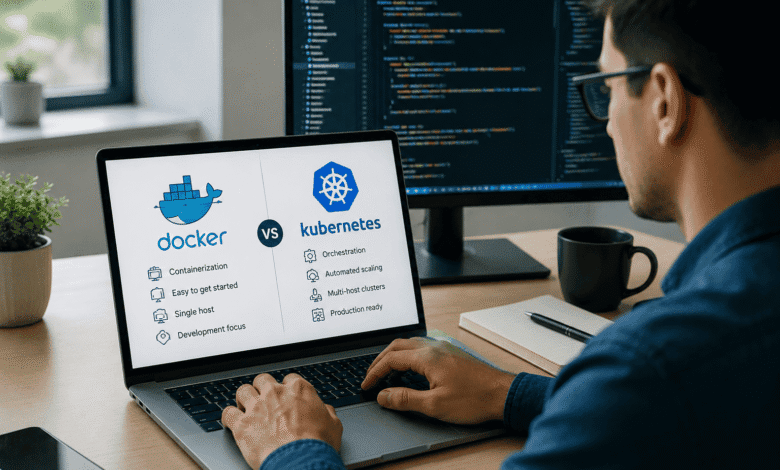
Two names dominate this space: Docker and Kubernetes. Beginners often ask, “Should I learn Docker or Kubernetes first?” While both technologies are closely related, they solve different problems and complement each other rather than compete.
In this guide, we’ll explain what Docker and Kubernetes do, compare their features, discuss real-world use cases, career opportunities, and help you decide which technology to learn first in 2026.
What Is Docker?
Docker is an open-source containerization platform that allows developers to package applications along with their dependencies into lightweight, portable containers.
Instead of worrying about differences between operating systems or server environments, Docker ensures your application runs consistently everywhere.
A Docker container includes:
- Application source code
- Runtime environment
- Required libraries
- System dependencies
- Configuration files
This eliminates the classic “It works on my machine” problem.
Key Features of Docker
Docker offers several advantages for developers:
- Lightweight containers
- Fast application deployment
- Easy portability
- Efficient resource utilization
- Simplified development workflow
- Consistent environments across development and production
- Large ecosystem with Docker Hub
- Strong community support
Docker has become the default tool for local development in many organizations.
What Is Kubernetes?
Kubernetes is an open-source container orchestration platform originally developed by Google. Instead of creating containers, Kubernetes manages and automates large numbers of containers across multiple servers.
As applications grow, managing hundreds or thousands of containers manually becomes impractical. Kubernetes solves this challenge by automating deployment, scaling, networking, monitoring, and recovery.
It has become the industry standard for container orchestration.
What Kubernetes Can Do
Kubernetes automates many operational tasks, including:
- Container scheduling
- Load balancing
- Service discovery
- Auto scaling
- Rolling updates
- Self-healing applications
- Storage management
- Secret and configuration management
- High availability
These capabilities make Kubernetes ideal for production environments.
Docker vs Kubernetes: Understanding the Difference
Although they are often mentioned together, Docker and Kubernetes have different roles.
| Feature | Docker | Kubernetes |
|---|---|---|
| Primary Purpose | Create and run containers | Manage containers at scale |
| Learning Difficulty | Beginner-friendly | Intermediate to Advanced |
| Deployment | Single machine or small environments | Large distributed clusters |
| Auto Scaling | Limited | Built-in |
| Self-Healing | No | Yes |
| Load Balancing | Basic | Advanced |
| Cluster Management | No | Yes |
| Best For | Developers | DevOps and Platform Engineers |
Docker focuses on creating containers, while Kubernetes focuses on managing them.
How Docker and Kubernetes Work Together
Many beginners think Kubernetes replaces Docker. In reality, they work together in a typical cloud-native workflow.
A common deployment process looks like this:
- Develop the application.
- Package it into a Docker container.
- Push the image to a container registry.
- Deploy the container using Kubernetes.
- Kubernetes manages scaling, networking, and availability.
Understanding Docker first makes Kubernetes easier to learn.
Why Beginners Should Learn Docker First
Docker introduces the core concepts behind containers without the complexity of distributed systems.
Learning Docker helps you understand:
- Images
- Containers
- Dockerfiles
- Docker Compose
- Volumes
- Networks
- Image registries
- Container lifecycle
These concepts form the foundation of Kubernetes.
When Should You Learn Kubernetes?
After becoming comfortable with Docker, the next step is Kubernetes.
You should begin learning Kubernetes when you understand:
- Linux basics
- Networking fundamentals
- Docker containers
- Command-line operations
- Basic cloud computing
Kubernetes builds on these concepts and introduces cluster management.
Essential Docker Concepts
Before moving to Kubernetes, you should know:
Docker Images
Templates used to create containers.
Containers
Running instances of Docker images.
Dockerfile
Instructions for building Docker images.
Docker Compose
Tool for running multi-container applications.
Docker Hub
Repository for sharing Docker images.
Essential Kubernetes Concepts
Key Kubernetes components include:
Pods
The smallest deployable unit in Kubernetes.
Nodes
Machines that run containers.
Cluster
A group of worker nodes managed together.
Deployment
Manages application replicas.
Service
Provides stable networking for applications.
Ingress
Routes external traffic into the cluster.
ConfigMap
Stores configuration data.
Secret
Stores sensitive credentials securely.
Docker Advantages
Docker offers several benefits:
- Easy to learn
- Lightweight
- Fast startup
- Excellent documentation
- Simplifies testing
- Ideal for development
- Cross-platform compatibility
- Large marketplace of container images
It significantly improves developer productivity.
Kubernetes Advantages
Kubernetes provides enterprise-grade capabilities:
- Automatic scaling
- Self-healing workloads
- Zero-downtime deployments
- High availability
- Resource optimization
- Infrastructure automation
- Multi-cloud support
- Vendor neutrality
It is widely used for production systems.
Challenges of Docker
Docker also has limitations:
- Limited orchestration features
- Manual scaling
- Not suitable for managing large container fleets
- Requires additional tools for production-grade deployments
Challenges of Kubernetes
Kubernetes is powerful but comes with complexity.
Common challenges include:
- Steep learning curve
- Complex networking
- Numerous configuration files
- Cluster administration
- Monitoring and observability
- Security management
- Resource planning
These challenges are manageable with practice.
Career Opportunities
Learning Docker and Kubernetes opens many career paths.
Popular roles include:
- DevOps Engineer
- Cloud Engineer
- Platform Engineer
- Site Reliability Engineer (SRE)
- Infrastructure Engineer
- Software Engineer
- AI Infrastructure Engineer
- Machine Learning Operations (MLOps) Engineer
Container technologies remain among the most requested DevOps skills.
Learning Roadmap for Beginners
A practical roadmap is:
Step 1
Learn Linux fundamentals.
Step 2
Understand networking basics.
Step 3
Master Git and GitHub.
Step 4
Learn Docker thoroughly.
Step 5
Build containerized applications.
Step 6
Understand Docker Compose.
Step 7
Deploy applications locally.
Step 8
Start learning Kubernetes.
Step 9
Practice on cloud platforms.
Step 10
Learn CI/CD integration.
Docker vs Kubernetes: Which One Should You Learn First?
For most beginners, the recommended path is:
Learn Docker first.
Docker helps you understand how applications are packaged and executed inside containers. Once these concepts become familiar, Kubernetes becomes much easier because it focuses on orchestrating those containers rather than creating them.
If your goal is a career in DevOps, cloud computing, or platform engineering, learning both technologies is essential. However, starting with Docker provides a smoother learning experience and builds the foundation needed to succeed with Kubernetes.
Future Trends in 2026
Container technology continues to evolve with emerging trends such as:
- AI-powered Kubernetes cluster management
- Serverless Kubernetes platforms
- GitOps-based deployments
- Platform engineering adoption
- Edge computing with lightweight Kubernetes distributions
- Kubernetes-native AI and machine learning workloads
- Improved security through policy-as-code
- Green computing with resource-efficient scheduling
These advancements are making container platforms more intelligent, scalable, and efficient.
Conclusion
Docker and Kubernetes are not competing technologies—they solve different challenges within the same ecosystem. Docker simplifies application packaging and development, while Kubernetes automates deployment, scaling, and management across production environments.
For beginners, learning Docker first is the most practical approach because it introduces the fundamentals of containerization. Once you’re comfortable building and running containers, Kubernetes becomes the natural next step for managing applications at scale.
Whether you’re pursuing DevOps, cloud engineering, software development, or AI infrastructure, mastering both Docker and Kubernetes will significantly strengthen your technical skills and career opportunities in 2026.
Frequently Asked Questions (FAQs)
1. Is Docker enough without Kubernetes?
Docker is sufficient for learning containerization and running applications locally. However, Kubernetes is valuable for managing containers in production environments at scale.
2. Can I learn Kubernetes without Docker?
It is possible, but not recommended. Understanding Docker first makes Kubernetes concepts much easier to grasp.
3. Is Kubernetes replacing Docker?
No. Kubernetes is an orchestration platform, while Docker is a containerization tool. They serve different purposes and are often used together.
4. Which technology offers better career opportunities?
Professionals with skills in both Docker and Kubernetes are in high demand across DevOps, cloud computing, platform engineering, and MLOps roles.