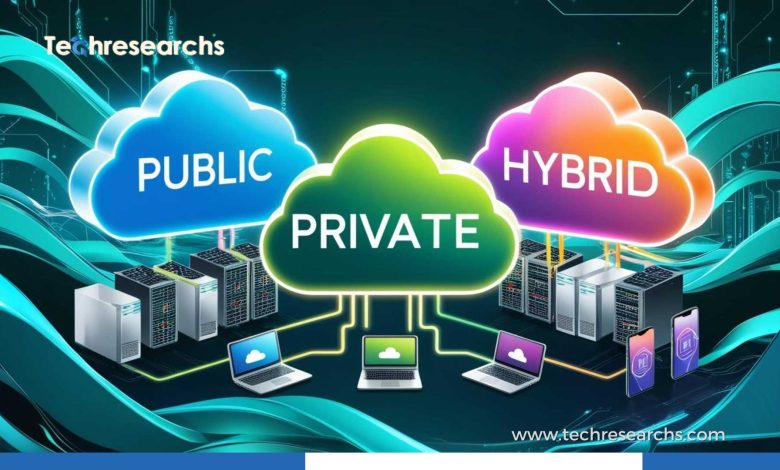
Cloud computing has changed the way businesses and individuals use technology. Instead of buying and maintaining expensive servers, organizations can access computing power, storage, databases, software, and other resources over the internet.
But cloud computing is not a one-size-fits-all solution. Different cloud models offer different levels of control, flexibility, security, scalability, and cost. Understanding these options can help you choose a cloud environment that fits your technical requirements and business goals.
What Is Cloud Computing?
Cloud computing is the delivery of computing resources over the internet. These resources can include servers, storage, databases, networking, software, analytics, and processing power.
Rather than running everything on physical hardware inside an office or data center, users can access resources from cloud providers and typically pay according to their usage.
Major cloud providers include Amazon Web Services (AWS), Microsoft Azure, and Google Cloud.
The Main Types of Cloud Computing
Cloud computing can generally be categorized by deployment model and service model. The deployment model describes where and how cloud infrastructure is hosted, while the service model describes what level of technology the provider manages for you.
1. Public Cloud
A public cloud is operated by a third-party cloud provider and shared among multiple customers. Organizations access resources through the internet while the provider manages the underlying infrastructure.
Public cloud services are popular because they can be launched quickly and scaled as demand changes.
Advantages include:
- Lower upfront infrastructure costs
- Flexible resource scaling
- Access to a wide range of services
- Reduced hardware maintenance
- Fast deployment
Best for: Startups, growing businesses, development teams, websites, applications, and workloads with changing demand.
2. Private Cloud
A private cloud is designed for use by a single organization. It can be hosted within the company’s own data center or managed by an external provider.
Private clouds provide greater control over infrastructure and configurations, which can be important for organizations with strict security, compliance, or customization requirements.
Advantages include:
- Greater infrastructure control
- Customizable environments
- Dedicated resources
- Strong governance capabilities
- Greater control over security configurations
Best for: Large organizations, regulated industries, and businesses with specialized infrastructure or compliance requirements.
3. Hybrid Cloud
Hybrid cloud combines private infrastructure with public cloud services. Organizations can keep certain workloads in a private environment while using public cloud resources for other applications.
For example, a company might keep sensitive workloads in a private environment while using a public cloud for analytics, development, or scalable applications.
Advantages include:
- Flexible workload placement
- Better use of existing infrastructure
- Scalability during demand spikes
- Greater control over sensitive workloads
- Support for gradual cloud migration
Best for: Organizations that need both flexibility and control or are transitioning from traditional infrastructure to cloud environments.
4. Multi-Cloud
Multi-cloud means using services from more than one cloud provider. A business might use one provider for application hosting, another for analytics, and another for specialized services.
Multi-cloud strategies can reduce dependence on a single provider, but they also introduce additional management and security considerations.
Advantages include:
- Access to different provider capabilities
- Greater flexibility
- Reduced dependence on one vendor
- Potential resilience benefits
- Ability to select services based on workload requirements
Best for: Organizations with complex technology environments and teams capable of managing multiple cloud platforms.
Understanding Cloud Service Models
Deployment models explain where cloud resources operate. Service models explain how much of the technology stack you are responsible for managing.
Infrastructure as a Service (IaaS)
IaaS provides fundamental computing infrastructure such as virtual machines, storage, and networking.
The provider manages the physical infrastructure, while the customer typically manages the operating system, applications, configurations, and data.
Best for: IT teams that need significant control over their computing environment.
Platform as a Service (PaaS)
PaaS provides a managed platform for building, testing, deploying, and maintaining applications. Developers can focus more on application code without managing as much underlying infrastructure.
Best for: Development teams that want to accelerate application development and deployment.
Software as a Service (SaaS)
SaaS provides complete software applications through the internet. The provider manages the infrastructure, platform, application, updates, and much of the security.
Examples include cloud-based productivity, communication, collaboration, and business applications.
Best for: Businesses and individuals who want ready-to-use software without managing the underlying technology.
IaaS vs. PaaS vs. SaaS
| Service Model | Provider Manages | Customer Focus | Common Use |
|---|---|---|---|
| IaaS | Physical infrastructure | OS, applications, data | Custom infrastructure |
| PaaS | Infrastructure and platform | Application code and data | Application development |
| SaaS | Almost the entire application stack | Configuration and data usage | Business software |
The key difference is how much responsibility you want to retain. IaaS provides more control, while SaaS provides more convenience.
How to Choose the Right Cloud Computing Model
Choosing the right cloud approach requires more than comparing prices. Consider the following factors.
1. Identify Your Workload
Start by understanding what you want to move to the cloud.
Is it a website, business application, database, development environment, analytics workload, or complete IT infrastructure?
Different workloads can benefit from different cloud models.
2. Consider Security Requirements
Review the sensitivity of your data and applications. Consider access controls, encryption, identity management, monitoring, backup requirements, and regulatory obligations.
A public cloud can provide strong security capabilities, but organizations still need to configure and manage their environments correctly.
3. Evaluate Scalability
If your workload experiences unpredictable traffic, scalability may be a major priority.
Public and hybrid cloud environments can provide flexible access to additional resources when demand increases.
4. Compare Costs
Cloud computing can reduce capital expenditure, but that does not automatically mean every cloud deployment will be inexpensive.
Consider:
- Compute costs
- Storage
- Data transfer
- Managed services
- Licensing
- Monitoring
- Backup
- Support
- Migration costs
Track usage regularly to avoid paying for resources that are no longer needed.
5. Assess Your IT Expertise
Your team’s technical skills should influence your choice.
If you have experienced infrastructure engineers, IaaS may provide useful flexibility. If your team wants to focus primarily on application development, PaaS may be more appropriate. SaaS can reduce infrastructure responsibilities even further.
6. Think About Compliance
Industries such as healthcare, finance, and government may have specific requirements for data protection and operational controls.
Before selecting a cloud environment, determine where data can be stored, how it must be protected, and which compliance responsibilities belong to you and the cloud provider.
7. Consider Vendor Lock-In
Moving deeply into one provider’s proprietary services can make future migration more complicated.
For important workloads, consider portability, open standards, containerization, APIs, and the long-term implications of provider-specific technologies.
A Simple Decision Framework
You can use this basic approach:
Need maximum infrastructure control?
→ Consider IaaS or a private cloud.
Need a managed environment for application development?
→ Consider PaaS.
Need ready-to-use business software?
→ Consider SaaS.
Need scalability with minimal infrastructure investment?
→ Consider public cloud.
Need to keep some workloads under tighter control while using public cloud resources?
→ Consider hybrid cloud.
Need services from multiple providers?
→ Consider a multi-cloud strategy.
Common Cloud Computing Mistakes to Avoid
Choosing cloud technology without a clear strategy can create unnecessary costs and operational complexity.
Moving Everything Without Planning
Cloud migration should begin with workload assessment, dependencies, security requirements, and expected costs.
Ignoring Cloud Costs
Unused virtual machines, oversized resources, unnecessary storage, and excessive data transfer can increase monthly bills.
Assuming the Provider Handles Everything
Cloud security follows a shared responsibility model. Providers secure parts of the underlying infrastructure, while customers remain responsible for many configuration, identity, application, and data-security tasks.
Choosing Technology Before Business Requirements
The most advanced cloud service is not necessarily the right solution. Start with business objectives and workload requirements before selecting technologies.
The Future of Cloud Computing
Cloud computing is becoming increasingly connected with artificial intelligence, automation, edge computing, containers, serverless technologies, and advanced data platforms.
Organizations are also paying more attention to cloud cost management, cybersecurity, resilience, and workload portability. As cloud environments become more sophisticated, businesses will increasingly need strategies that balance performance, security, flexibility, and cost.
Final Thoughts
There is no single cloud computing model that works perfectly for every organization.
Public cloud is often attractive for flexibility and scalability. Private cloud offers greater control. Hybrid cloud combines different environments, while multi-cloud allows organizations to use services from multiple providers.
Similarly, IaaS, PaaS, and SaaS provide different levels of control and management responsibility.
The best choice depends on your workload, budget, security requirements, compliance obligations, technical expertise, and long-term business objectives. By evaluating these factors before committing to a cloud strategy, you can build an environment that supports growth without creating unnecessary complexity.
Frequently Asked Questions
What are the main types of cloud computing?
The main types of cloud computing include public cloud, private cloud, hybrid cloud, and multi-cloud. Cloud services are also commonly categorized as IaaS, PaaS, and SaaS.
Which type of cloud computing is best for small businesses?
Public cloud and SaaS are often suitable for small businesses because they can reduce upfront infrastructure costs and simplify technology management.
What is the difference between public and private cloud?
A public cloud is operated by a third-party provider and serves multiple customers, while a private cloud is dedicated to a single organization and generally provides greater control over infrastructure and configurations.
Is hybrid cloud better than public cloud?
Neither is universally better. Hybrid cloud can be useful when an organization needs both private infrastructure and public cloud resources, while public cloud may be preferable for workloads that prioritize scalability and simplicity.