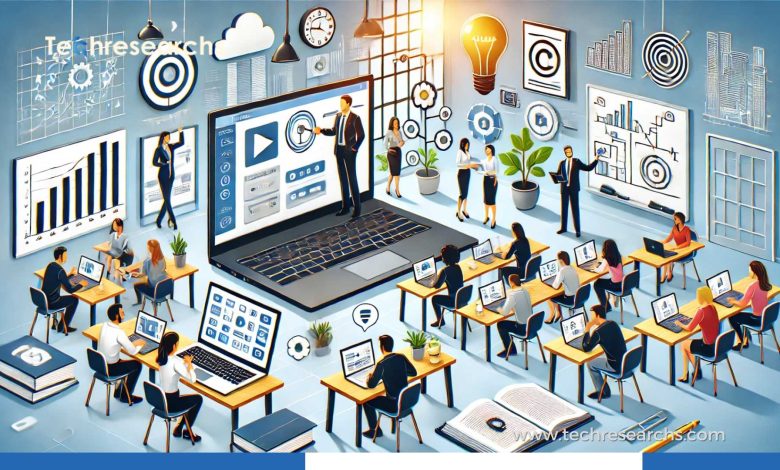
Instructional design is no longer limited to creating online courses, presentations, or training manuals. Today, it plays a much bigger role in shaping how people learn, practice skills, solve problems, and apply knowledge in real situations.
The biggest change is that learning is becoming more practical, personalized, interactive, and closely connected to real-world performance. Organizations are combining established learning principles with artificial intelligence, simulations, microlearning, adaptive assessments, and data-driven feedback to create better learning experiences.
In 2026, instructional designers are increasingly working at the intersection of education, technology, user experience, and business performance.
So, instead of looking only at traditional examples of instructional design, it is useful to explore how modern learning experiences are being designed and where these approaches are making a difference.
What Makes Modern Instructional Design Different?
Traditional training often followed a simple pattern:
Learn → Take a test → Complete the course
Modern instructional design takes a broader approach:
Understand → Practice → Receive feedback → Apply → Measure → Improve
The goal is not simply to help learners remember information. It is to help them use that information when it actually matters.
For example, a cybersecurity employee does not necessarily become better at security because they watched a 45-minute presentation. A stronger learning experience might place them inside a simulated security incident where they have to identify suspicious activity, choose an appropriate response, and understand the consequences of a poor decision.
That shift—from content delivery to performance support – is one of the most important developments in instructional design.
1. AI-Powered Personalized Learning
One of the most significant changes in instructional design is the growing use of artificial intelligence.
AI can help learning systems analyze learner behavior and provide more personalized content, explanations, assessments, or learning paths. Recent research describes AI as increasingly functioning as a collaborator within instructional-design workflows rather than simply being a content-generation tool.
How it works in practice
Imagine two employees beginning the same software training program.
One already understands the basics, while the other has never used the platform.
Instead of forcing both learners through identical lessons, an adaptive learning system can:
- Identify existing knowledge
- Recommend appropriate modules
- Provide additional explanations where needed
- Adjust assessment difficulty
- Offer practice activities
- Provide immediate feedback
The result is a learning journey that feels more relevant to each person.
However, AI should support instructional decisions rather than replace them. Human instructional designers still need to define objectives, evaluate content quality, consider accessibility, and make sure the learning experience actually supports the desired behavior.
2. Microlearning for Learning in the Flow of Work
People do not always have an hour available for training.
Sometimes they need an answer in five minutes.
That is where microlearning becomes valuable.
Instead of creating one large course, instructional designers can break a subject into focused learning units. A learner might receive a short video, interactive question, quick scenario, or step-by-step guide designed around one specific task.
For example, a sales employee preparing for a customer meeting might access a three-minute lesson explaining how to handle a common objection.
A technician might open a short troubleshooting guide while working on equipment.
A new employee might complete one small onboarding activity each day rather than sitting through an entire training program.
The important point is that microlearning should not simply mean making everything shorter. Good microlearning focuses on a specific learning or performance need. Current instructional-design discussions increasingly connect microlearning with workflow-based and on-demand learning.
3. Scenario-Based Training for Better Decision-Making
Some skills cannot be learned effectively by reading instructions alone.
Decision-making is a good example.
Scenario-based instructional design places learners inside realistic situations and asks them to decide what happens next.
Consider customer-service training.
Instead of showing employees a list of rules, a course could present a difficult customer interaction:
A customer has received the wrong product and is becoming increasingly frustrated. What should you do first?
The learner selects an answer and immediately sees the result.
A well-designed scenario can then branch into different situations based on that decision.
This approach allows learners to make mistakes safely before encountering similar situations in the real workplace.
Scenario-based learning can be especially useful for:
- Leadership training
- Customer service
- Healthcare
- Cybersecurity
- Sales
- Compliance
- Emergency response
- Technical support
The strength of this approach is simple: learners practice thinking, not just remembering.
4. Interactive E-Learning in Medical Education
Healthcare education provides a strong example of instructional design being connected directly to measurable learning outcomes.
A 2026 randomized controlled study involving 690 first-year medical students in India evaluated structured e-modules designed around Bloom’s taxonomy and the Miller pyramid. Students receiving the e-modules alongside traditional lectures performed better across several cognitive, psychomotor, and affective measures than students receiving lectures alone.
This illustrates an important principle.
Technology itself is not the instructional solution.
The value comes from how technology is designed around learning objectives.
Interactive medical modules can combine:
- Visual explanations
- Clinical cases
- Knowledge checks
- Problem-based questions
- Demonstrations
- Practice activities
- Feedback
Instead of simply transferring a textbook onto a screen, instructional designers create an experience that encourages learners to actively process information.
5. Immersive Learning and Simulations
Another growing area is immersive learning.
Virtual reality, 360-degree environments, and simulations can allow learners to practice situations that may be expensive, dangerous, or difficult to recreate in the real world.
For example, a manufacturing company could create a virtual safety scenario where employees identify hazards inside a simulated facility.
A medical learner could practice responding to a patient scenario.
A new pilot could train inside a simulated cockpit.
A technician could practice maintenance procedures without risking expensive equipment.
Immersive learning is particularly useful when context and decision-making matter as much as factual knowledge. Current 2026 instructional-design trends show increasing interest in immersive environments alongside AI and microlearning.
6. Learning Through Realistic Simulations
Not every organization needs VR to create realistic training.
A browser-based simulation can be just as useful for many learning objectives.
For example, imagine an employee training program built around a simulated business dashboard.
The learner receives information about:
- Sales performance
- Customer complaints
- Marketing costs
- Inventory levels
- Revenue targets
They then have to decide which action to take.
Instead of asking:
“What is business forecasting?”
the course asks:
“Your sales forecast has dropped by 15%. Which action would you take first?”
That difference makes the learning experience more meaningful because the learner must apply knowledge.
7. Performance Support Instead of One-Time Training
One of the biggest weaknesses of traditional training is that learning often stops when the course ends.
Modern instructional design increasingly treats learning as an ongoing process.
A learner might have access to:
- Searchable knowledge bases
- Interactive checklists
- Quick-reference guides
- AI assistants
- Short videos
- Process documentation
- Contextual recommendations
This approach is sometimes described as learning in the flow of work.
The employee does not have to leave their workflow every time they encounter a problem. Instead, learning resources are available when the problem occurs.
That makes training more practical because it connects knowledge with the moment when the learner actually needs it.
8. Gamification With a Purpose
Gamification can make learning more engaging, but adding points and badges does not automatically create effective instruction.
The strongest gamified experiences connect game mechanics to meaningful learning behavior.
For example, learners could:
- Complete realistic challenges
- Unlock increasingly difficult scenarios
- Earn progress based on demonstrated skills
- Compete against their previous performance
- Receive immediate feedback
Imagine a cybersecurity course where employees investigate a simulated phishing campaign.
Instead of simply answering multiple-choice questions, they earn progress by correctly identifying suspicious messages and explaining why they are dangerous.
Now the game mechanics support the learning objective rather than distracting from it.
9. Data-Driven Instructional Design
Modern learning platforms generate large amounts of information about learner behavior.
Instructional designers can use this information to understand questions such as:
- Where are learners dropping out?
- Which questions cause the most difficulty?
- Which modules take unusually long to complete?
- Which skills are improving?
- Which activities are being ignored?
- Where do learners repeatedly request help?
This creates an important feedback loop.
Design → Deliver → Measure → Improve
Instead of publishing a course and leaving it unchanged for years, organizations can continuously improve the learning experience.
AI and learning analytics can make this process more efficient, but human interpretation remains important because learner data needs context.
10. Accessibility as Part of the Design
Good instructional design should work for as many learners as possible.
Accessibility should therefore be considered during the design process—not added as an afterthought.
Modern courses can include:
- Captions for video
- Transcripts
- Keyboard-friendly navigation
- Readable typography
- Alternative text for meaningful images
- Clear color contrast
- Accessible assessments
- Screen-reader-friendly structures
An accessible course can also improve usability for learners who do not have disabilities.
For example, captions are useful when someone is learning in a noisy environment, while transcripts can help learners quickly search for a specific section.
11. Blended Learning for Complex Skills
Some learning objectives are simply too complex for a single format.
A blended learning experience might combine:
Self-paced content + live instruction + practice + feedback + assessment
For example, a leadership development program could begin with short online lessons, followed by a live workshop. Participants might then complete workplace assignments and return for coaching sessions.
This approach gives learners multiple opportunities to understand and apply the material.
It also recognizes something important: people learn differently depending on what they are trying to accomplish.
12. Measuring Whether Instructional Design Actually Works
A course completion rate does not automatically prove that training was successful.
A better evaluation strategy looks beyond completion.
Organizations can ask:
Did learners understand the material?
Knowledge assessments can help answer this question.
Can they apply it?
Scenario-based activities and practical assessments provide stronger evidence.
Did their behavior change?
Workplace observations and performance data can help identify behavioral improvement.
Did the organization benefit?
Metrics such as productivity, quality, customer satisfaction, safety, or error reduction can connect learning to business outcomes.
This is where instructional design becomes more than course creation. It becomes a way of solving performance problems.
Why These Examples Matter
The common thread across all these examples is not technology.
It is intentional design.
A sophisticated AI platform cannot fix unclear learning objectives. A beautiful VR experience cannot compensate for poor instructional strategy. Gamification cannot make irrelevant content valuable.
Effective instructional design starts with a simple question:
What should the learner be able to do after this experience?
Everything else should support that goal.
This is why modern instructional designers are increasingly combining learning science with UX principles, analytics, AI, simulations, and real-world practice.
The Future of Instructional Design
Instructional design is moving toward learning experiences that are more adaptive and closely connected to real performance.
AI may help personalize content and accelerate parts of the design workflow. Microlearning can make support available at the moment of need. Simulations can provide safe opportunities to practice. Analytics can reveal where learners struggle. Immersive technologies can bring realistic environments into training.
But technology will not eliminate the need for good instructional thinking.
In fact, as learning technologies become more powerful, human judgment may become even more important.
Instructional designers will need to decide what learners actually need, which technology is appropriate, how learning should be assessed, and how to create experiences that are useful rather than simply impressive.
The future of instructional design is therefore not about replacing human learning with technology.
It is about using technology intelligently to make learning more relevant, practical, measurable, and human-centered.
Final Thoughts
Successful instructional design does not have to look like a traditional classroom or a long online course.
It can be a five-minute performance aid, an interactive simulation, an AI-supported learning path, a realistic workplace scenario, or a blended program combining digital and human instruction.
What makes these approaches successful is the same principle behind good instructional design: start with the learner, define the desired outcome, create meaningful practice, and measure whether the learning makes a difference.
As education and workplace training continue to evolve, organizations that focus on these principles will be better positioned to create learning experiences that people can actually use—not just courses they can complete.
Frequently Asked Questions
1. How is modern instructional design different from traditional training?
Modern instructional design focuses on practical application, personalization, interactive learning, feedback, and measurable performance instead of simply delivering information through courses or lectures.
2. How can AI be used in instructional design?
AI can support personalized learning paths, create practice activities, analyze learner performance, provide feedback, and identify areas where learners may need additional support.
3. Why are simulations useful for instructional design?
Simulations allow learners to practice decisions and skills in realistic situations without the risks or costs associated with real-world mistakes. They are useful for healthcare, cybersecurity, leadership, manufacturing, and technical training.
4. How can organizations measure whether instructional design is successful?
Organizations can measure instructional design through knowledge assessments, practical performance, learner behavior, skill improvement, engagement, and business outcomes such as productivity, quality, customer satisfaction, or reduced errors.