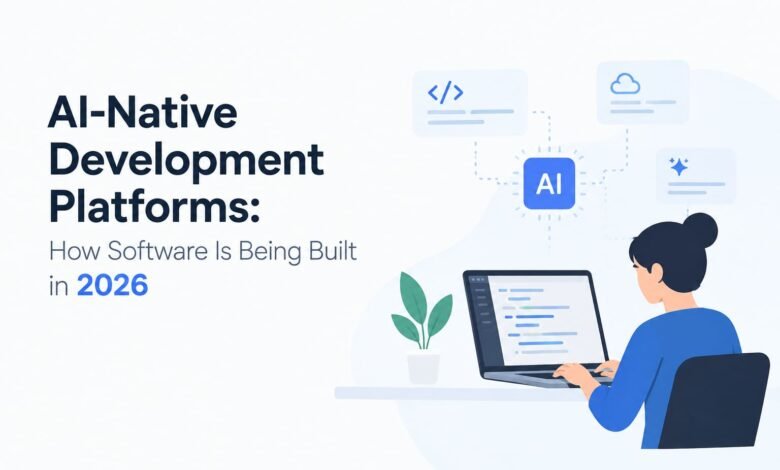
AI-Native Development Platforms: How Software Is Being Built in 2026

Software development is entering a new phase. For years, building an application meant writing code line by line, testing each feature, fixing errors, and repeating the process until everything worked as expected. Today, artificial intelligence is changing how developers approach these tasks.
AI-native development platforms are becoming an important part of this shift. They bring AI into the software development process, helping teams turn ideas into working applications, understand existing code, identify problems, and improve development workflows. Instead of using AI only to answer coding questions, developers can now use it as an active part of their everyday work.
However, the real value of these platforms goes beyond generating code quickly. They also change how developers plan projects, make technical decisions, test software, and maintain applications over time.
What Are AI-Native Development Platforms?
AI-native development platforms are software environments designed to make artificial intelligence a central part of application development rather than an optional add-on. They can combine AI coding assistants, automated workflows, code analysis, testing capabilities, and integrations with development tools.
Traditional development environments primarily provide the tools developers need to write, organize, and run code. AI-native platforms add another layer of assistance by helping developers interpret instructions, suggest implementations, analyze errors, and complete selected tasks.
For example, a developer building an inventory management application might describe a requirement for tracking stock levels and notifying staff when products run low. An AI-enabled development platform could help draft the relevant code, suggest a database structure, and generate initial tests. The developer would still need to check whether the result meets the business requirements and works correctly.
The key difference is that AI becomes part of the development workflow from the beginning, not simply a tool used occasionally when a developer gets stuck.
Why AI-Native Development Is Gaining Attention in 2026
The growing interest in AI-native development reflects a broader change in software engineering. Businesses want to deliver digital products more efficiently, while development teams face pressure to maintain quality, security, and reliability.
Several factors are contributing to this shift.
1. Faster Development From Ideas to Working Applications
Turning a business requirement into functional software can involve considerable planning, coding, and testing. AI-native platforms can help reduce the manual effort involved in early implementation.
Developers can describe a feature in natural language and use AI to generate a starting point. They can then refine the output, add missing functionality, and verify the result.
This approach is particularly useful for prototypes, internal dashboards, simple integrations, and repetitive development tasks. It does not eliminate the need for engineering work, but it can help teams move from an initial idea to a testable version more quickly.
2. Less Time Spent on Repetitive Coding
Developers often spend time writing similar functions, creating basic documentation, preparing test cases, and updating routine code. Although these activities are necessary, they do not always require the same level of creative problem-solving as designing a new system.
AI-native platforms can assist with these repetitive tasks by suggesting code, explaining existing functions, and preparing routine development materials.
As a result, developers may have more time to focus on architecture, complex technical decisions, and the needs of end users.
3. Better Support for Complex Codebases
Understanding a large application can be difficult, especially when it contains years of development history and multiple connected components.
Some AI development tools can analyze relevant files, explain how functions interact, and help developers trace the likely source of an error. This can be useful when onboarding new team members or working with unfamiliar software.
The quality of the assistance depends on the platform’s available context, the size and structure of the codebase, and the accuracy of the AI model. Developers must still confirm that suggested explanations match the actual system.
4. Growing Use of AI Agents in Development
AI agents are extending the capabilities of ordinary coding assistants. Rather than responding only to a single question, an agent may be able to perform a sequence of related tasks, such as examining a project, proposing code changes, running tests, and reporting the results.
For example, a development team might ask an agent to investigate a failing test. Depending on its permissions and available tools, it could inspect the relevant code, suggest a correction, and run the test again.
These workflows can reduce manual coordination, but they require appropriate access controls and human review. An agent that makes several changes without proper verification can introduce problems just as easily as it can save time.
Key Features of AI-Native Development Platforms
Not every platform offers the same capabilities. Nevertheless, several features are becoming important when teams evaluate AI-assisted development environments.
AI-Powered Code Generation
Code generation allows developers to describe a requirement and receive a proposed implementation. It can be useful for creating functions, drafting API endpoints, preparing data-processing logic, or building an initial application structure.
Generated code should be treated as a starting point. It may contain incorrect assumptions, outdated approaches, or errors that are not immediately obvious.
Context-Aware Development Assistance
A useful AI development platform needs more than the ability to generate isolated code snippets. It should be able to work with relevant project files, coding conventions, technical documentation, and existing dependencies.
With sufficient context, an AI assistant may produce suggestions that fit an application more closely. Developers should still review changes for compatibility and consistency with the wider system.
Automated Testing and Debugging Support
Testing is essential because software that appears to work in a demonstration may fail under different conditions.
AI-native platforms can help prepare unit tests, explain error messages, identify suspicious code patterns, and suggest possible fixes. Some tools can also connect with existing test workflows to help developers validate changes.
The important point is that generating a test is not the same as proving software is reliable. Teams need meaningful test cases, realistic data, and checks that cover important failure scenarios.
Workflow and Tool Integration
Software development involves more than writing code. Teams also manage source control, code reviews, issue tracking, build pipelines, deployment, and monitoring.
Platforms that integrate with these activities can help reduce unnecessary switching between tools. Some can assist with pull requests, documentation, and multi-step engineering tasks.
Before adopting such integrations, organizations should understand what data the platform can access and which actions it can perform automatically.
Security and Governance Controls
AI-generated code can introduce insecure dependencies, weak validation, exposed credentials, or other vulnerabilities. AI-native development therefore needs to include security checks rather than treating security as a final step.
Useful controls include permission management, secret detection, dependency scanning, audit logs, and human approval for sensitive changes. The specific protections available vary by platform.
How AI-Native Platforms Are Changing the Software Development Process
AI-native development changes how work is organized across the software lifecycle.
Step 1: Requirements and planning
Developers and product teams define the problem, intended users, expected behavior, and constraints. AI can help organize requirements or identify missing details, but stakeholders must confirm what the software should actually do.
Step 2: Design and implementation
The team decides on the architecture and uses AI assistance to prepare selected components. Clear requirements and project context help reduce misunderstandings.
Step 3: Testing and validation
Developers run automated tests, review generated changes, and check security and performance. Errors are corrected before the application moves forward.
Step 4: Deployment
Once the required checks pass, the team follows its normal release process. AI may assist with deployment preparation, but production changes should remain subject to suitable permissions and approval.
Step 5: Monitoring and improvement
After release, teams monitor performance, investigate problems, and collect feedback. AI can help analyze logs or summarize issues, while developers decide which changes are appropriate.
This workflow makes one principle clear: AI can contribute throughout development, but accountability for the final software remains with the people and organization delivering it.
Practical Use Cases Across Different Industries
AI-native development platforms can support a wide range of projects. Their suitability depends on the complexity of the application, the sensitivity of its data, and the team’s technical requirements.
Business Applications
Companies can use AI assistance to develop internal dashboards, reporting tools, workflow applications, and basic operational systems. These projects often involve familiar business rules and repetitive interface or data-handling tasks.
E-Commerce Platforms
Development teams may use AI to assist with product catalog features, inventory integrations, order-management workflows, and customer account functionality. Payment processing and customer-data protection require additional care and rigorous testing.
Healthcare Technology
AI-assisted development can help teams build administrative applications, appointment systems, and research tools. Systems handling medical information require strict privacy protections, appropriate validation, and compliance with applicable regulations.
Financial Software
AI can support the development of reporting interfaces, reconciliation tools, and internal workflow applications. Software involving payments, financial records, or regulated decisions needs particularly strong access controls, auditability, and independent verification.
Education Technology
Teams can use AI assistance to develop learning dashboards, course-management features, assessment tools, and student-support applications. Developers must also consider accessibility, student privacy, and the reliability of any AI-generated educational content.
Benefits and Limitations Businesses Should Understand
AI-native development platforms offer practical advantages, but adopting them without a clear strategy can create new challenges.
Potential benefits
- Faster completion of routine coding tasks.
- Quicker creation of prototypes and early product versions.
- Assistance with debugging and understanding unfamiliar code.
- Support for documentation and test preparation.
- More opportunities for small teams to explore new application ideas.
Important limitations
- Generated code can be incorrect or insecure.
- AI tools may misunderstand business requirements.
- Complex projects still require experienced engineering judgment.
- Platform subscriptions, model usage, and infrastructure can add costs.
- Sensitive source code or customer information may require additional data-protection controls.
- Excessive dependence on a particular platform can make future migration more difficult.
Organizations should measure actual improvements in delivery time, defect rates, maintenance effort, and overall cost rather than assuming that more AI usage automatically leads to better results.
How to Choose the Right AI-Native Development Platform
Selecting a platform should begin with the team’s real development needs, not simply a list of AI features.
First, identify the work that would benefit most from AI assistance. A small team creating prototypes may prioritize ease of use, while an enterprise maintaining complex systems may need repository-level context, strong access controls, and integration with existing engineering processes.
Next, evaluate code quality and testing support. The platform should fit the team’s programming languages, frameworks, source-control practices, and security requirements.
It is also important to understand pricing, usage limits, data-retention policies, deployment options, and the ability to export code or move to another environment.
Finally, run a controlled pilot project. Compare the AI-assisted workflow with the team’s existing process using measurable criteria such as task completion time, review effort, defects, and maintenance quality. This provides a more realistic picture of value than relying on product demonstrations alone.
The Future of AI-Native Software Development
AI-native development is likely to continue evolving as coding assistants become more capable and AI agents take on larger, carefully defined tasks. Development workflows may increasingly involve collaboration between engineers and AI systems that can plan work, propose changes, run checks, and explain their results.
At the same time, the importance of sound engineering practices will not disappear. Clear specifications, maintainable architecture, reliable testing, security controls, and human oversight remain essential for production software.
The role of developers is therefore changing rather than simply disappearing. Writing every line manually may become less central for some tasks, while reviewing generated code, defining system boundaries, managing risks, and making technical decisions become even more important.
Businesses that approach AI-native development thoughtfully can explore new ways to build software without sacrificing reliability or control.
Conclusion
AI-native development platforms are reshaping software engineering by bringing artificial intelligence into planning, coding, testing, and other development activities. They can reduce repetitive work, support faster prototyping, and help teams navigate complex projects.
However, successful adoption requires more than choosing an AI tool. Businesses need clear requirements, suitable security measures, effective testing, and developers who can evaluate the results.
In 2026, the most useful approach is not to let AI build software without supervision. It is to combine AI’s ability to assist with repetitive and complex tasks with human judgment, engineering discipline, and responsibility for the finished product.
As these platforms mature, that balance will help determine which organizations gain lasting value from AI-native software development.
Frequently Asked Questions
1. What are AI-native development platforms?
AI-native development platforms are software environments that integrate artificial intelligence into coding, testing, debugging, and other stages of application development. They help developers automate routine tasks and build applications more efficiently.
2. How do AI-native platforms improve software development?
These platforms can generate code, explain errors, suggest fixes, create test cases, and assist with documentation. This can reduce repetitive work and allow developers to focus more on software quality and complex problems.
3. Are AI-native development platforms suitable for businesses?
Yes, businesses can use them to develop prototypes, internal tools, web applications, and workflow systems. The right platform depends on project requirements, security needs, budget, and the team’s technical skills.
4. What are the risks of using AI-native development platforms?
Potential risks include inaccurate code, security vulnerabilities, privacy concerns, and dependence on specific tools. Developers should review generated code, run tests, and apply security checks before deployment.